Formador de PLITCH para limpiadores de escenas del crimen
El formador de un vistazo
- Total Cheats 11
- Trucos gratis 6
- Trucos Premium 5
- Platform PC Steam, MS Store
- Game Mode Un jugador
- Desarrollador Estudio Presidente
- Editorial PlayWay S.A., Presidente Estudio
- Release Year 2024
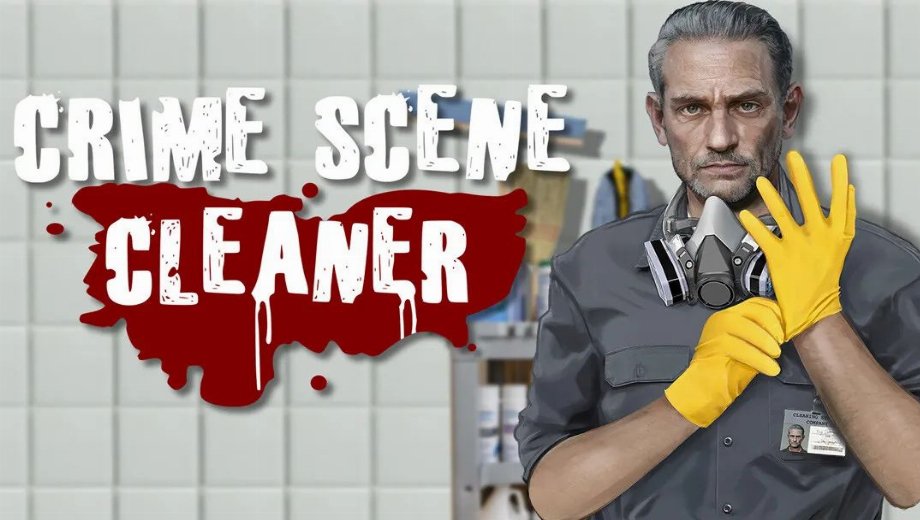
Crime Scene Cleaner puts you in the shoes of a mob-connected cleaner who has no choice but to scrub blood, remove bodies, and erase all evidence of the underworlds dirty work all while trying to earn enough money to save his daughter. Each job is a cleaning simulation with a dark narrative edge, and the better you perform, the more you earn. Movement speed, jump height, and the durability of your cleaning tools all feed directly into how efficiently you can work through a scene.
The PLITCH trainer for Crime Scene Cleaner covers all 11 gameplay cheats across jump height, backward speed, strafing speed, forward speed, cleaning tool durability, and skill progression giving you precise control over movement and character development.
Free Cheats for Crime Scene Cleaner
Estos trucos son gratuitos y están disponibles para todos los usuarios de PLITCH.
Player Movement Attributes
- Ajustar altura de salto Adjusts how high your character jumps. This can help you navigate taller areas of a crime scene or reach spots that are otherwise awkward to access on foot.
- Normal Jump Height Resets your jump height to the default value. Use this after testing a custom jump setting to return to the standard feel.
- Set Backward Speed Adjusts how fast you move when walking backwards. This can improve how naturally you maneuver around furniture, obstacles, and cleaning targets.
- Normal Backward Speed Resets backward movement speed to its default value.
- Set Strafe Speed Adjusts how fast you move sideways. Faster strafing makes it easier to clean along walls, between objects, and in tight corners without constantly repositioning.
- Normal Strafe Speed Resets strafe speed to its default value.
PREMIUM Cheats for Crime Scene Cleaner
The following cheats are available for PLITCH PREMIUM users and give you control over cleaning tool durability, forward movement speed, and skill tree progression.
Información general del jugador
- Unlimited Cleaning Tool Durability Prevents your mops, sponges, and other cleaning tools from wearing out. This removes a key maintenance cost from jobs and lets you clean efficiently from start to finish without swapping or repairing tools.
Skills and Experience
- Add Skill Points Skill Tree Adds skill points to your total. These can be spent in the skill tree to unlock and improve cleaning abilities, earning potential, and character stats.
- Sub Skill Points Skill Tree Removes skill points from your total. This can be used to rebalance your character or simulate a lower-progression challenge run.
Player Attributes
- Set Forward Speed Adjusts how fast you move forward. Increasing this is one of the most practical quality-of-life improvements in the trainer faster forward movement makes navigating large or complex scenes significantly quicker.
- Normal Forward Speed Resets forward movement speed to the default value. Use this after testing a custom speed setting to return to standard movement.
Cómo ayudan estos trucos
- Faster and more efficient cleaning The movement speed cheats forward, backward, and strafe directly reduce the time it takes to cover a crime scene. Faster movement means more efficient cleaning routes and less dead time walking between stains and evidence.
- No tool replacement costs Unlimited Cleaning Tool Durability removes the need to buy or swap out worn equipment mid-job. This keeps your workflow uninterrupted and saves money you would otherwise spend on replacements.
- Faster skill tree progression Add Skill Points lets you unlock cleaning upgrades and character improvements well ahead of the natural progression curve. This is useful if you want to experience the fully upgraded version of the character sooner.
- Fine-tuned movement control Having separate Set and Normal options for each movement direction means you can experiment freely and always reset to the default without any permanent impact.
Uso del Entrenador
- Paso 1 Descargue e instale el cliente PLITCH y, a continuación, cree una cuenta gratuita o premium.
- Paso 2 Abre PLITCH y busca Empresa de limpieza de escenas del crimen en la lista de juegos.
- Paso 3 Start Crime Scene Cleaner via Steam or the MS Store, then switch back to PLITCH.
- Paso 4 Activate the cheats you want in the PLITCH overlay to tune your movement, protect your cleaning tools, and accelerate skill tree progression.
Nota PLITCH is designed for single-player use. Some antivirus or security tools may flag trainers because they interact with game memory, so you may need to add exceptions.

- Secure Software (Virus checked, GDPR-compliant)
- Easy to use: get ready in less than 5 min
- More than 5300+ supported Games
- +1000 Patches every month & Support





![Gears of War: E-Day v1.0-v20261014+ (+19 Trainer) [FLiNG]](https://618b31e8.delivery.rocketcdn.me/wp-content/uploads/2026/06/Gears-of-War-E-Day-01-464x276.jpg)






Reasons why PC Gamers love PLITCH
 1000+ monthly Patches
 Make your games harder
 World-class Player Support
 100% People Business
 100% secure software
 Available in 11 languages
Unfortunately, the download is no longer available. Here are some alternatives:
- All downloads for this game: Empresa de limpieza de escenas del crimen







![Nioh 3 v1.0-v2.0+ (+50 Trainer) [FLiNG]](https://618b31e8.delivery.rocketcdn.me/wp-content/uploads/2025/11/Nioh-3-01-464x276.jpg)


