PLITCH-Trainer für DarkSwitch
Der Trainer auf einen Blick
- Gesamtzahl der Cheats: 23
- Kostenlose Cheats: 1
- Premium Cheats: 22
- Plattform: PC
- Spielmodus: Einzelspieler
- Trainer: PLITCH
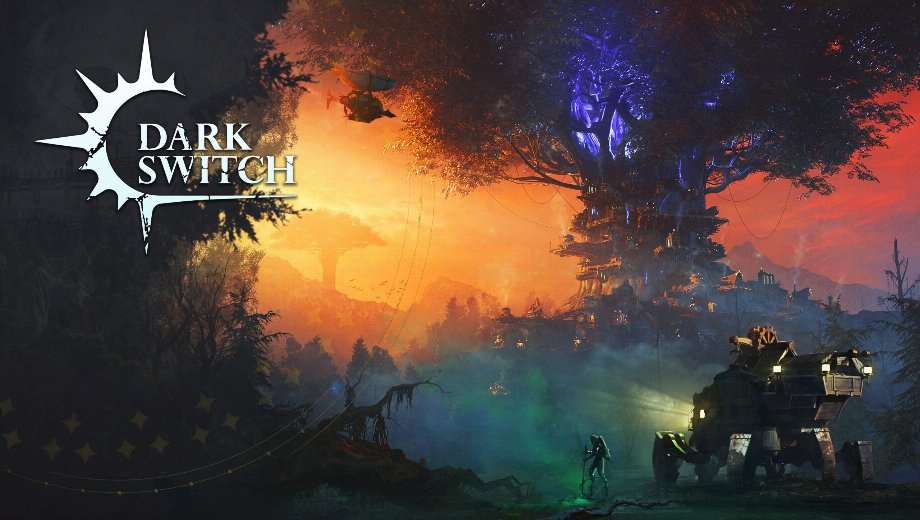
DarkSwitch is a vertical survival city builder by Cyber Temple Games. You build a layered settlement in and around a colossal tree while the Fog closes in from below. The Fog is not just a threat meter. It behaves like a living system that advances, retreats, and hides creatures within it. On top of that, it drives your settlers toward madness when you fail to hold it back with light and flame.
You manage 11 resource types split between raw and processed goods. You also oversee production chains and maintain citizen morale through branching storyline choices. Meanwhile, you construct zip lines and stairways to connect each vertical layer of your city. Regular fog expeditions are essential too, since the ruins below hold rare materials and lost technologies. The campaign mode also offers 20+ hours of story content with over 80 unique buildings across four technology tiers.
Die PLITCH-Trainer für DarkSwitch gives you direct control over all 12 resource types, the in-game time of day, and the overall day counter. As a result, you can push your city higher and defend against the Fog without supply shortfalls or time pressure cutting your momentum short.
Free Cheats for DarkSwitch
- Tageszeit des Einfriervorgangs: Lock the clock at the current moment. This way, you can manage construction, production chains, and fog defenses without the day cycle changing conditions around you.
Premium Cheats for DarkSwitch
The free cheat handles time. Premium, however, gives you full control over every resource your city needs and every part of the day cycle. So nothing in your supply chain ever stalls your vertical expansion.
Resources
- Easy Resources x100 (Mouse Over Resource): Add 100 units of any resource by hovering over it. This makes restocking any material fast and flexible without switching between individual cheats.
- Set Wood (Mouse Over Resource): Set your wood supply directly to keep construction and fuel chains running without waiting on lumber production.
- Set Planks (Mouse Over Resource): Define your plank stock to fund processed wood requirements for buildings and defenses without pausing your production chain.
- Set Coal (Mouse Over Resource): Adjust your coal reserves to keep heating, smelting, and energy production running during fog advances and cold periods.
- Set Raw Food (Mouse Over Resource): Set your raw food supply to feed citizens and prevent morale drops during extended fog sieges.
- Set Rations (Mouse Over Resource): Control your processed food stock directly so your settlers stay fed and functional through every expedition and build phase.
- Set Gas (Mouse Over Resource): Adjust your gas supply to support energy systems and advanced production facilities without rationing.
- Set Gasoline (Mouse Over Resource): Define your gasoline level to keep vehicles, generators, and fog-pushing light systems powered without interruption.
- Set Metal (Mouse Over Resource): Set your metal stock to fund structural reinforcements, weapons, and mechanical upgrades across your tree city.
- Set Steel (Mouse Over Resource): Adjust your steel reserves for advanced construction and defense systems that raw metal alone cannot cover.
- Set Solar (Mouse Over Resource): Control your solar energy supply to power light-based defenses that hold the Fog back and protect citizen sanity.
- Set Crystalline (Mouse Over Resource): Set your crystalline stock for rare technology unlocks and advanced weapons used in active fog defense.
Day and Time Control
- Set Day: Jump to a specific in-game day to test late-game scenarios or return to an earlier point without starting a new campaign.
- Set Time Of Day (Morning): Jump to morning to start a fresh build cycle with full daylight for construction and resource gathering.
- Set Time Of Day (Noon): Jump to noon for ideal lighting conditions during active city management and fog defense planning.
- Set Time Of Day (Evening): Move to evening to prepare your light defenses before nightfall brings increased fog activity.
- Set Time Of Day (Night): Jump straight to night to test how well your fog defenses hold under full darkness pressure.
- Reset Day: Restart the current day entirely to retry a critical decision, a fog wave, or a branching narrative choice without loading a save.
- End Day: Skip the rest of the current day instantly to move past a slow period or trigger the next day cycle on demand.
- Increase Time Of Day: Push the clock forward in small steps to control exactly when the next phase of the day begins.
- Decrease Time Of Day: Roll the clock back to extend a productive daylight window or replay an evening defensive phase.
Wie diese Cheats helfen
- Resource bottlenecks: DarkSwitch runs 11 resource types through interconnected production chains. One missing material stalls construction on an entire city layer. The mouse-over resource cheats let you top up any supply instantly. As a result, one dry chain never cascades into a full build stoppage.
- Fog defense pressure: Solar energy and crystalline power the light weapons and systems that actively push the Fog back. Setting those resources directly keeps your defenses active through every fog advance. So slow extraction chains never leave your city exposed.
- Morale and citizen sanity: Citizens who lack food or light lose morale and spiral toward madness. Controlling your rations and solar supply prevents that cascade. This way, your workforce stays productive through difficult story decisions and long fog sieges.
- Campaign and story testing: The 20+ hour campaign features branching narratives where small choices spiral into serious consequences. The day reset and time control cheats let you revisit key decision points without replaying hours of city management to reach them again.
Verwendung des Trainers
- Schritt 1: Klicken Sie auf das grüne “Probieren Sie es kostenlos aus!” Klicken Sie auf die Schaltfläche auf dieser Seite, um den PLITCH-Client sicher herunterzuladen.
- Schritt 2: Installieren Sie die App, erstellen Sie Ihr kostenloses Konto und melden Sie sich an, um auf die Trainer-Bibliothek zuzugreifen.
- Schritt 3: Search for DarkSwitch in PLITCH, then launch the game as you normally would.
- Schritt 4: Activate the cheats you want through the PLITCH overlay and adjust them to match your preferred city-building pace and fog defense challenge.
Anmerkung: PLITCH ist für den Einzelspielermodus vorgesehen. Manche Sicherheitsprogramme kennzeichnen Trainer-Tools aufgrund ihrer Interaktion mit dem Spielspeicher gelegentlich fälschlicherweise als verdächtig.

- Secure Software (Virus checked, GDPR-compliant)
- Easy to use: get ready in less than 5 min
- More than 5300+ supported Games
- +1000 Patches every month & Support




![Fishing Inc (+9 Trainer) [Mafioznik]](https://618b31e8.delivery.rocketcdn.me/wp-content/uploads/2026/10/Fishing-Inc-01-464x276.jpg)

![Granblue Fantasy: Relink v1.0-v2.0.x+ (+36 Trainer) [FLiNG]](https://618b31e8.delivery.rocketcdn.me/wp-content/uploads/2024/02/granblue-fantasy-relink-1-464x276.jpg)






Reasons why PC Gamers love PLITCH
 1000+ monthly Patches
 Make your games harder
 World-class Player Support
 100% People Business
 100% secure software
 Available in 11 languages
Unfortunately, the download is no longer available. Here are some alternatives:
- All downloads for this game: DarkSwitch







![Nioh 3 v1.0–v2.0+ (+50 Trainer) [FLiNG]](https://618b31e8.delivery.rocketcdn.me/wp-content/uploads/2025/11/Nioh-3-01-464x276.jpg)


