PLITCH-Trainer für den Figure Shop Simulator
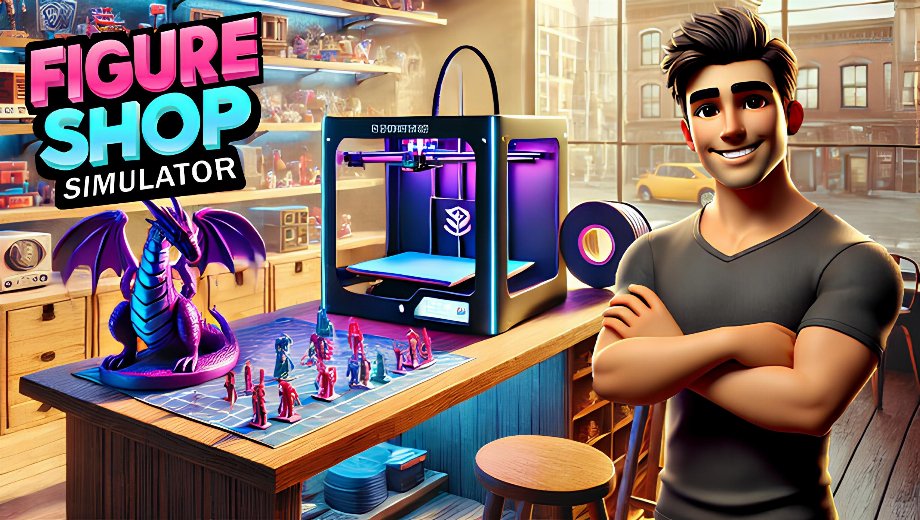
Der Trainer auf einen Blick
- Gesamtzahl der Cheats: 9
- Kostenlose Cheats: 5
- Premium Cheats: 4
- Plattform: PC (Steam)
- Spielmodus: Einzelspieler
- Genre: Simulation, Indie
- Entwickler: Gnome-Spiele
- Herausgeber: Gnome-Spiele
- Erscheinungsjahr: 2025
Figure Shop Simulator puts you in charge of running a figure and collectibles shop — managing finances, inventory, customer traffic, production, and the shop’s day-to-day rhythm. Success depends on balancing your budget against spending, keeping customers happy and coming back, and keeping your 3D printing materials stocked for production. The in-game time cycle shapes how customers and events unfold, making day management a constant background pressure across everything you do.
The PLITCH trainer for Figure Shop Simulator covers all 9 gameplay cheats across money multipliers, popularity management, filament supply, movement speed, and time control — giving you meaningful influence over every major system in the game.
Free Cheats for Figure Shop Simulator
Diese Cheats sind kostenlos und stehen allen PLITCH-Nutzern zur Verfügung.
Geld / Ressourcen
- Set Money Multiplier (Expenditures): Adjusts how much you spend on purchases and costs. Reducing this multiplier makes running the shop significantly cheaper and stretches your budget further without removing financial management from the game entirely.
- Set Money Multiplier (Revenue): Adjusts how much you earn from sales. Raising this multiplier makes every transaction more profitable and accelerates your shop’s financial growth.
Skills / Experience
- Set Popularity Multiplier (Increase): Adjusts how quickly your shop’s popularity grows. A higher multiplier means faster reputation building, more customer traffic, and a busier shop floor arriving much sooner.
- Set Popularity Multiplier (Decrease): Adjusts how quickly popularity declines. Lowering the decay rate keeps your reputation stable without requiring constant active management to maintain it.
Allgemeines zum Spieler
- Set Movement Speed: Adjusts how fast your character moves around the shop. Faster movement makes restocking, serving customers, and managing different areas of the store significantly more efficient throughout the day.
PREMIUM Cheats for Figure Shop Simulator
The following cheats are available for PLITCH PREMIUM users and give you more absolute control over spending, popularity stability, production materials, and time management.
Geld / Ressourcen
- No Money Deduction: Prevents money from being spent on anything. All purchases and operating costs become free, removing financial pressure entirely and letting you focus on the shop-building and management experience without worrying about the bottom line.
Skills / Experience
- No Decline in Popularity: Prevents your shop’s popularity from ever decreasing. This keeps customer traffic stable indefinitely without needing to run promotions or actively maintain your reputation over time.
Artikel
- Infinite Filament: Prevents your 3D printing filament from running out. Filament is the core production material for figures and collectibles, so keeping it unlimited means your printers can always run at full capacity without supply interruptions.
Timer
- Freeze Time of Day: Stops the in-game clock. This gives you unlimited time to manage the shop, arrange inventory, complete printing runs, and plan your next moves without the day cycle advancing.
Wie diese Cheats helfen
- Optimized shop finances: The two money multipliers give you granular control over both sides of your budget. Lower your spending costs and raise your revenue simultaneously, and your shop’s growth accelerates significantly without eliminating the management challenge.
- Stable, growing customer base: The popularity multipliers and No Decline in Popularity together keep your reputation healthy without constant attention. This frees you up to focus on inventory, production, and growth rather than chasing customers who are drifting away.
- Uninterrupted production: Infinite Filament removes the most common production bottleneck in the game. Your printers never run dry, and you can fulfill orders and build your stock catalog without supply interruptions.
- Full time control: Freeze Time of Day is one of the most broadly useful cheats in any simulator. Stopping the clock gives you breathing room to make thoughtful decisions without the in-game day advancing around you.
How to Use the PLITCH Trainer for Figure Shop Simulator
- Schritt 1 Klicken Sie auf das grüne “Probieren Sie es kostenlos aus!” Klicken Sie auf die Schaltfläche auf dieser Seite, um den PLITCH-Client sicher herunterzuladen.
- Schritt 2: Erstellen Sie ein kostenloses oder ein PREMIUM-PLITCH-Konto.
- Schritt 3: Öffnen Sie den PLITCH-Client und suchen Sie nach Figurenladen-Simulator.
- Schritt 4: Launch Figure Shop Simulator via Steam, then activate your chosen cheats in the PLITCH overlay to tune your finances, popularity, production supply, and time management.
Anmerkung: PLITCH is designed for single-player use only. Some antivirus or security tools may flag trainers because they interact with game memory — you may need to add an exception for PLITCH in your security software.

- Secure Software (Virus checked, GDPR-compliant)
- Easy to use: get ready in less than 5 min
- More than 5300+ supported Games
- +1000 Patches every month & Support





![Fishing Inc (+9 Trainer) [Mafioznik]](https://618b31e8.delivery.rocketcdn.me/wp-content/uploads/2026/10/Fishing-Inc-01-464x276.jpg)






Reasons why PC Gamers love PLITCH
 1000+ monthly Patches
 Make your games harder
 World-class Player Support
 100% People Business
 100% secure software
 Available in 11 languages
Unfortunately, the download is no longer available. Here are some alternatives:
- All downloads for this game: Figurenladen-Simulator









![Nioh 3 v1.0–v2.0+ (+50 Trainer) [FLiNG]](https://618b31e8.delivery.rocketcdn.me/wp-content/uploads/2025/11/Nioh-3-01-464x276.jpg)


