The Outer Worlds 2 v1.0-v20260624+ (+37 Trainer)
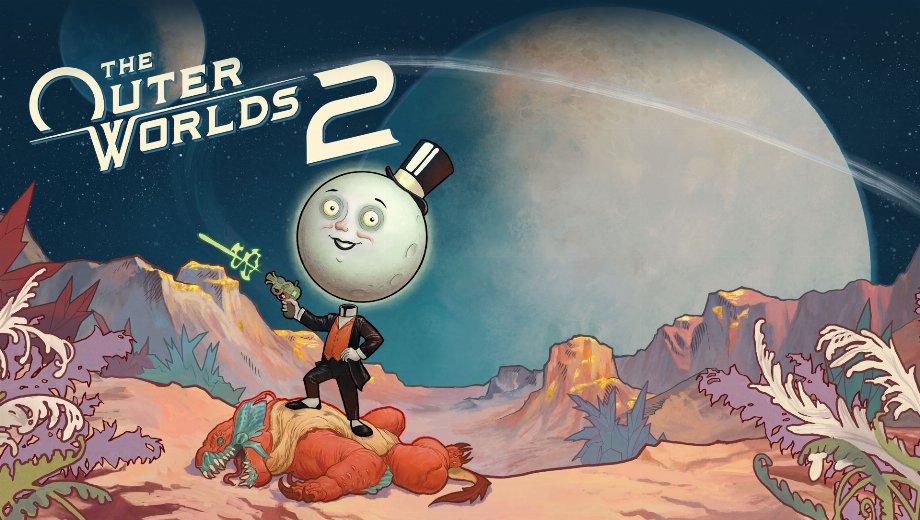
                    The Outer Worlds 2 sends you across a new solar system full of corporate intrigue, tough enemies, and environmental hazards. Allerdings, toxicity, gadget energy, and companion health can all drain during a single encounter. Grinding reputation, skill points, and perk points across factions also takes real time.
Deshalb, the FLiNG +37 Trainer for The Outer Worlds 2 covers survival and combat, resources and progression, ranged weapon control, and movement for game version v1.0-v20260624+. Obsidian Entertainment developed this sci-fi RPG, published by Private Division.
The Spacefarer’s Arsenal
Thirty seven options split into four groups: survival and combat, resources and progression, ranged weapon control, and movement and world manipulation. Gemeinsam, they let you explore every planet without fear or grind.
Überleben und Kampf
- Nr. 1 (Gott-Modus/ Treffer ignorieren): Macht dich immun gegen eingehenden Schaden.
- Nr. 2 (Unendliche Gesundheit): Verhindert, dass deine Gesundheit sinkt.
- Num 3 (Infinite Companions Health): Keeps your companions’ health from dropping.
- Num 4 (Infinite Gadget Energy): Keeps your gadget energy from running out.
- Num 5 (Infinite Inhalers): Keeps your inhaler supply from running out.
- Num 6 (Zero Toxicity): Stops toxicity from building up.
- Num 7 (Zero Zyranium Exposure): Stops Zyranium exposure from building up.
- Num 8 (Stealth Mode): Keeps you hidden from enemy detection.
- Num 9 (100% Critical Chance): Sets your critical hit chance to 100 percent.
- Nr. 0 (Super-Schaden/One-Hit-Kills): Dadurch können deine Angriffe Gegner mit einem einzigen Treffer besiegen.
- Zahl (Schadensmultiplikator): Damit kannst du einen Multiplikator für den von dir verursachten Schaden festlegen.
- Zahl + (Verteidigungsmultiplikator): Hiermit kannst du einen Multiplikator für die Verteidigung festlegen, die du erhältst.
Ressourcen und Progression
- Strg+Num 1 (Geld bearbeiten): Lets you set your money amount.
- Ctrl+Num 2 (Edit Item Amount): Lets you set the amount of a selected item.
- Ctrl+Num 3 (Ignore Crafting Requirements): Lets you craft items without needing the required materials.
- Ctrl+Num 4 (Infinite Exp): Keeps your experience points from being spent.
- Ctrl+Num 5 (Exp Multiplier): Lets you set a multiplier for experience earned.
- Ctrl+Num 6 (Edit Skill Points): Lets you set your skill points.
- Ctrl+Num 7 (Edit Perk Points): Lets you set your perk points.
- Ctrl+Num 8 (Max Reputation): Sets your faction reputation to the maximum.
- Ctrl+Num 9 (Zero Bounty): Clears any bounty placed on you.
Ranged Weapon Control
- Ctrl+Num 0 (Infinite Ammo): Keeps your ammo fully stocked.
- Ctrl+Num . (No Reload): Removes the need to reload your weapon.
- Ctrl+Num + (Super Accuracy): Boosts your weapon accuracy well beyond normal.
- Ctrl+Num – (No Recoil): Removes weapon recoil.
- Ctrl+Num / (Infinite Grenades/Throwables): Keeps your grenades and throwables fully stocked.
Movement and World Manipulation
- Alt+Num 1 (Set Game Speed): Hiermit können Sie einen benutzerdefinierten Wert für die Spielgeschwindigkeit festlegen.
- Alt+Num 2 (Set Player Speed): Hiermit können Sie einen benutzerdefinierten Wert für die Wiedergabegeschwindigkeit festlegen.
- Alt+Num 3 (Set AI Speed): Lets you set a custom speed value for AI units.
- Alt+Num 4 (Set Movement Speed): Hiermit können Sie einen benutzerdefinierten Wert für die Bewegungsgeschwindigkeit festlegen.
- Alt+Num 5 (No Fall Damage): Stops fall damage from affecting you.
- Alt+Num 6 (Infinite Jumps): Lets you jump without limit.
- Alt+Num 7 (Set Jump Height): Damit können Sie eine benutzerdefinierte Sprunghöhe festlegen.
- Alt+Num 8 (Set Gravity): Lets you set a custom gravity value.
- Alt+Num 9 (Sichtfeld einstellen): Ermöglicht es Ihnen, einen benutzerdefinierten Wert für das Sichtfeld festzulegen.
- Alt+Num 0 (Fly Mode): Lets you fly freely around the map.
- Alt+Num . (Increase Fly Height): Increases how high you can fly.
Wichtige Anweisungen und Tipps für Trainer
One combo pairing helps avoid a common ammo quirk.
- Unterstützte Versionen: The Outer Worlds 2 v1.0-v20260624+.
- Startreihenfolge: Beide Reihenfolgen funktionieren zwischen dem Spiel und dem Trainer.
- Num-Lock: Aktivieren Sie die Num-Taste, damit die Tastenkombinationen des Ziffernblocks korrekt funktionieren.
- No Reload dependency: For best results, activate Infinite Ammo alongside No Reload to prevent any ammo display glitches.
- Hinweise zum Antivirus: Einige Antivirenprogramme melden Trainer aufgrund von Memory-Hooking als verdächtig. Fügen Sie eine Ausnahme hinzu, wenn Sie der Quelle vertrauen.
Dieser Trainer ist ausschließlich für den Einzelspielermodus vorgesehen.

- Secure Software (Virus checked, GDPR-compliant)
- Easy to use: get ready in less than 5 min
- More than 5300+ supported Games
- +1000 Patches every month & Support


![Mr. Prepper v1.0-v1.43+ (+17 Trainer) [FLiNG]](https://618b31e8.delivery.rocketcdn.me/wp-content/uploads/2026/11/Mr-Prepper-01-464x276.jpg)

![Crimson Desert Enhanced v1.0-v2.x+ (+12 Trainer) [FLiNG] – Update October 2026](https://618b31e8.delivery.rocketcdn.me/wp-content/uploads/2026/11/Crimson-Desert-Enhanced-01-464x276.jpg)








Trainers are memory resident programs that alter the behavior of a game.
Your antivirus software and web browser may detect them as malware (viruses, worms, trojans, bots etc.).
This is almost always a false alarm.
- File name: The.Outer.Worlds.2.v1.0-v20260624.Plus.37.Trainer-FLiNG




![Nioh 3 v1.0–v2.0+ (+50 Trainer) [FLiNG]](https://618b31e8.delivery.rocketcdn.me/wp-content/uploads/2025/11/Nioh-3-01-464x276.jpg)


