The Outer Worlds 2 v1.0-v20260624+ (+37 Trainer)
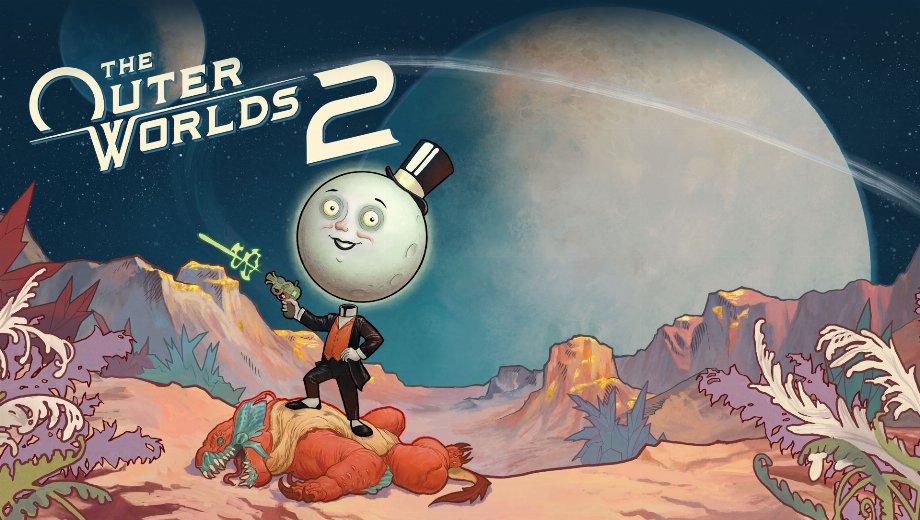
                    The Outer Worlds 2 sends you across a new solar system full of corporate intrigue, tough enemies, and environmental hazards. Sin embargo, toxicity, gadget energy, and companion health can all drain during a single encounter. Grinding reputation, skill points, and perk points across factions also takes real time.
Por lo tanto, the FLiNG +37 Trainer for The Outer Worlds 2 covers survival and combat, resources and progression, ranged weapon control, and movement for game version v1.0-v20260624+. Obsidian Entertainment developed this sci-fi RPG, published by Private Division.
The Spacefarer’s Arsenal
Thirty seven options split into four groups: survival and combat, resources and progression, ranged weapon control, and movement and world manipulation. Juntos, they let you explore every planet without fear or grind.
Supervivencia y combate
- N.º 1 (Modo Dios/Ignorar golpes): Te hace inmune al daño recibido.
- N.º 2 (Salud infinita): Evita que tu salud disminuya.
- Num 3 (Infinite Companions Health): Keeps your companions’ health from dropping.
- Num 4 (Infinite Gadget Energy): Keeps your gadget energy from running out.
- Num 5 (Infinite Inhalers): Keeps your inhaler supply from running out.
- Num 6 (Zero Toxicity): Stops toxicity from building up.
- Num 7 (Zero Zyranium Exposure): Stops Zyranium exposure from building up.
- Num 8 (Stealth Mode): Te mantiene oculto ante la detección del enemigo.
- N.º 9 (100% Probabilidad de golpe crítico): Establece tu probabilidad de golpe crítico en el 100 por ciento.
- N.º 0 (Daño extremo/Muerte con un solo golpe): Hace que tus ataques derrote a los enemigos de un solo golpe.
- N.º (Multiplicador de daño): Te permite establecer un multiplicador para el daño que infliges.
- Núm. + (Multiplicador de defensa): Te permite establecer un multiplicador para la defensa que recibes.
Recursos y progresión
- Ctrl+Num 1 (Editar dinero): Te permite establecer la cantidad de dinero.
- Ctrl+Num 2 (Edit Item Amount): Te permite establecer la cantidad de un artículo seleccionado.
- Ctrl+Num 3 (Ignore Crafting Requirements): Lets you craft items without needing the required materials.
- Ctrl+Num 4 (Infinite Exp): Evita que se gasten tus puntos de experiencia.
- Ctrl+Num 5 (Exp Multiplier): Te permite establecer un multiplicador para la experiencia obtenida.
- Ctrl+Num 6 (Edit Skill Points): Te permite asignar tus puntos de habilidad.
- Ctrl+Num 7 (Edit Perk Points): Lets you set your perk points.
- Ctrl+Num 8 (Max Reputation): Sets your faction reputation to the maximum.
- Ctrl+Num 9 (Zero Bounty): Clears any bounty placed on you.
Ranged Weapon Control
- Ctrl+Num 0 (Infinite Ammo): Te permite tener siempre la munición bien surtida.
- Ctrl+Num . (No Reload): Elimina la necesidad de recargar el arma.
- Ctrl+Num + (Super Accuracy): Aumenta la precisión de tu arma mucho más allá de lo normal.
- Ctrl+Num – (No Recoil): Elimina el retroceso del arma.
- Ctrl+Num / (Infinite Grenades/Throwables): Keeps your grenades and throwables fully stocked.
Movement and World Manipulation
- Alt+Num 1 (Ajustar la velocidad del juego): Te permite establecer un valor personalizado para la velocidad del juego.
- Alt+Num 2 (Set Player Speed): Te permite establecer un valor personalizado para la velocidad del reproductor.
- Alt+Num 3 (Set AI Speed): Te permite establecer un valor de velocidad personalizado para las unidades de IA.
- Alt+Num 4 (Set Movement Speed): Te permite establecer un valor personalizado para la velocidad de movimiento.
- Alt+Num 5 (No Fall Damage): Stops fall damage from affecting you.
- Alt+Num 6 (Infinite Jumps): Te permite saltar sin límites.
- Alt+Num 7 (Set Jump Height): Te permite establecer una altura de salto personalizada.
- Alt+Num 8 (Set Gravity): Te permite establecer un valor de gravedad personalizado.
- Alt+Num 9 (Set FOV): Te permite establecer un valor personalizado para el campo de visión.
- Alt+Num 0 (Fly Mode): Te permite volar libremente por todo el mapa.
- Alt+Num . (Increase Fly Height): Aumenta la altura a la que puedes volar.
Instrucciones y consejos importantes para los formadores
One combo pairing helps avoid a common ammo quirk.
- Versiones compatibles: The Outer Worlds 2 v1.0-v20260624+.
- Orden de lanzamiento: Cualquiera de los dos órdenes funciona entre el juego y el trainer.
- Bloq Num: Activa la tecla Num Lock para que las teclas de acceso rápido del teclado numérico funcionen correctamente.
- No Reload dependency: For best results, activate Infinite Ammo alongside No Reload to prevent any ammo display glitches.
- Notas sobre el antivirus: Algunas herramientas antivirus detectan los «trainers» debido al «hooking» de memoria. Añade una excepción si confías en la fuente.
Este entrenador está pensado exclusivamente para un solo jugador.

- Secure Software (Virus checked, GDPR-compliant)
- Easy to use: get ready in less than 5 min
- More than 5300+ supported Games
- +1000 Patches every month & Support


![Mr. Prepper v1.0-v1.43+ (+17 Trainer) [FLiNG]](https://618b31e8.delivery.rocketcdn.me/wp-content/uploads/2026/11/Mr-Prepper-01-464x276.jpg)

![Crimson Desert Enhanced v1.0-v2.x+ (+12 Trainer) [FLiNG] – Update October 2026](https://618b31e8.delivery.rocketcdn.me/wp-content/uploads/2026/11/Crimson-Desert-Enhanced-01-464x276.jpg)








Trainers are memory resident programs that alter the behavior of a game.
Your antivirus software and web browser may detect them as malware (viruses, worms, trojans, bots etc.).
This is almost always a false alarm.
- File name: The.Outer.Worlds.2.v1.0-v20260624.Plus.37.Trainer-FLiNG




![Nioh 3 v1.0-v2.0+ (+50 Trainer) [FLiNG]](https://618b31e8.delivery.rocketcdn.me/wp-content/uploads/2025/11/Nioh-3-01-464x276.jpg)


