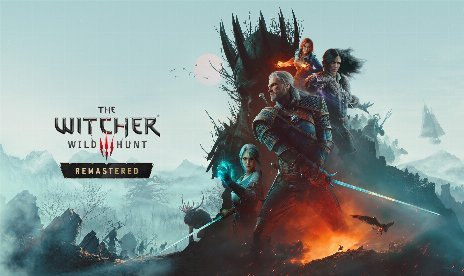
The Witcher 3: Wild Hunt Dynamic Fog Mod v2.1

octubre 27, 2026 - 8:25am
                    Picture Geralt wading through a swamp at dawn, fog curling around his boots until Igni boils it away. Dynamic Fog builds that scene with a new fog system for The Witcher 3. It runs as a ReShade add-on and relies on the Witcher Native Bridge API, a script-to-native bridge. The mist now thickens at dawn and answers every Sign you cast.
Qué obtienes
- Dynamic Fog: Holds the whole mod in one 540KB archive, with folders that merge into your game folder.
Fog Behavior
- Ground Fog: Settles dense, low banks on ground and water, so swamps and valleys fill up while the wind pushes them along.
- Fog Interaction: Lets Geralt, characters, and monsters stir the fog as they move, and every Sign pushes it.
- Time of Day: Keeps fog low and translucent by day, then raises and thickens it from dusk through dawn.
- Weather: Gives every weather its own fog thickness, so rain storms bring the heaviest fog, day or night.
- Towns and Interiors: Keeps fog about waist high inside settlements, though it fades out in houses and caves.
- Lit by the Game: Uses the game’s own sun, fog colors, and lighting, so the original mood stays intact.
Sign Effects
- Aard and Igni: Aard bursts out as a cold white-blue wall of fog, while Igni boils the fog into orange steam.
- Yrden and Magic Trap: Yrden draws violet fog to the circle edge, while Magic Trap pours it down the tower.
- Quen and Active Shield: Quen swirls golden fog around Geralt’s chest, and Active Shield wraps golden fog around its bubble.
Ajustes
- Fog Settings: Adjusts density, transparency, distance, height, brightness, and interaction strength live, so changes apply without a restart.
- Fog Quality: Ranges from 2 to 16 with a default of 10, so lower is faster and higher is smoother.
The Payoff
Fog changes how a swamp feels, and this mod makes it respond to everything around Geralt. The look stays yours to shape, so you can chase a thick swamp haze or a light morning veil. In return, smoother fog costs speed, so leave your GPU some headroom.
Setup Guide
- Descarga el mod y descomprime el archivo en tu ordenador.
- Instale ReShade with add-on support, and pick bin\x64_dx12\witcher3.exe plus DirectX 10/11/12 when the installer asks. Skip both the effects list and the add-ons list.
- Install the Witcher Native Bridge API next, since the mod needs it.
- Copy the contents of the extracted folder into your The Witcher 3 game folder, then let the folders merge.
- Launch the game, open Settings > Graphics, and set Screen Space Reflections a High. On Low the game skips the step that draws the fog, so no fog appears.
- Abrir Settings > Mods > Dynamic Fog to tune the look, and press Default to restore the recommended values.
- Para desinstalarlo, elimínalo bin\x64_dx12\WitcherDynamicFog.addon64 y bin\x64_dx12\DynamicFog.asi. Then delete bin\config\r4game\user_config_matrix\pc\modDynamicFog.xml y el Mods\modDynamicFog carpeta.
- If no other mod uses them, also delete WitcherNativeBridge.asi y dinput8.dll de bin\x64_dx12, plus the Mods\modNativeBridge carpeta.
Small Print
- Este mod incluye contenido multimedia generado por IA.
- The mod needs The Witcher 3 Remastered with patch 5.0 or newer, and it runs on DirectX 12.
- Dynamic Grass runs alongside this mod, so if you already use it, you have both requirements.
- Open the ReShade overlay in game to see the mod’s status.
Download
File information
octubre 27, 2026 - 8:25am
- File name: TW3WH_DynamicFog_v2.1

PLITCH - Free & Premium Game Trainer
- Secure Software (Virus checked, GDPR-compliant)
- Easy to use: get ready in less than 5 min
- More than 5300+ supported Games
- +1000 Patches every month & Support

The Hardcore Gaming Experience
Pioneering in offering game trainers and other hardcore gamer-centric content.
LATEST UPDATES





![Gears of War: E-Day v1.0-v20261014+ (+19 Trainer) [FLiNG]](https://618b31e8.delivery.rocketcdn.me/wp-content/uploads/2026/06/Gears-of-War-E-Day-01-464x276.jpg)




The Hardcore Gaming Experience
Pioneering in offering game trainers and other hardcore gamer-centric content.