Formador de PLITCH para Teddy’s Haven
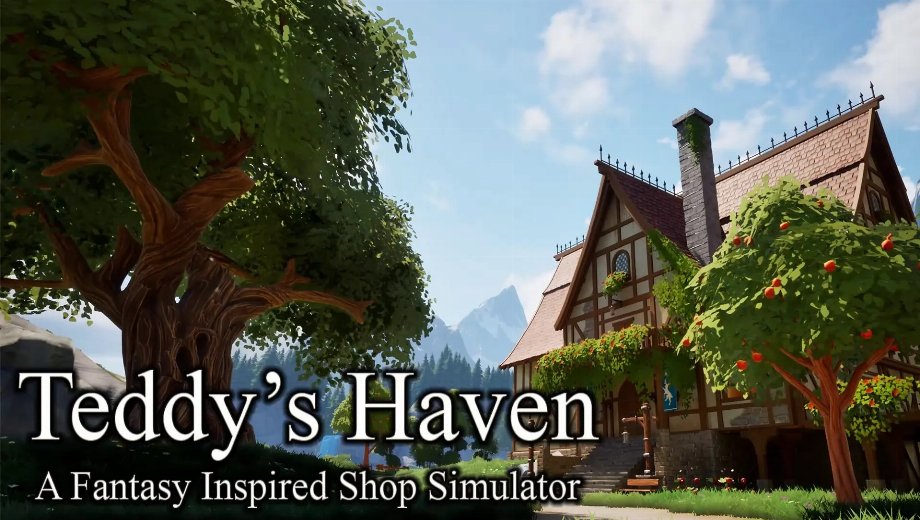
El formador de un vistazo
- Total Cheats: 9
- Free Cheats: 4
- Premium Cheats: 4
- Platform: PC (Steam)
- Modo de juego: Un jugador
- Genre: Simulation, RPG, Adventure
- Developer: Teddy Bear Games
- Publisher: Teddy Bear Games
- Release Year: 2026
Teddy’s Haven puts you in charge of a cozy magical shop on the edge of Ursa, a mysterious island filled with ancient forests and forgotten wonders. You sell potions, weapons, and enchanted curios while leveling up your bear companion Teddy for a growing profit bonus. However, gold builds up slowly through normal sales, and grinding shop experience toward new milestones takes real time.
Because your shop’s success ties directly into how well you manage gold and shop experience, controlling both directly changes how fast Ursa’s secrets unfold around you. The PLITCH trainer for Teddy’s Haven covers all 9 cheat codes for the game.
Free Cheats for Teddy’s Haven
Estos trucos son gratuitos y están disponibles para todos los usuarios de PLITCH.
Money/Resources and Player General
- Oro ilimitado: Keeps your gold total permanently full for buying stock and decor.
- Set Gold: Sets your gold total to a specific value.
- Set Jump Height (Default = 600): Adjusts your jump height from its default value of 600.
- Set Crouch Speed (Default = 300): Adjusts your crouching speed from its default value of 300.
PREMIUM Cheats for Teddy’s Haven
PREMIUM unlocks full shop experience and movement speed control.
Competencias/Experiencia
- Add Shop Experience: Adds experience toward leveling up your shop.
- Reset Shop Experience To 0: Resets your shop experience back to zero.
Información general del jugador
- Set Walking Speed (Default = 300): Adjusts your walking speed from its default value of 300.
- Set Running Speed (Default = 700): Adjusts your running speed from its default value of 700.
How to Use the PLITCH Trainer for Teddy’s Haven
- Paso 1 Haga clic en el botón verde “¡Pruébalo gratis!” de esta página para descargar el cliente PLITCH de forma segura.
- Crea una cuenta gratuita o PREMIUM en PLITCH.
- Open the PLITCH client and search for Teddy’s Haven.
- Launch Teddy’s Haven via Steam, then activate your chosen cheats in the PLITCH overlay to control your gold, shop experience, and movement.
Nota: PLITCH está diseñado exclusivamente para un solo jugador. Es posible que algunos programas antivirus o de seguridad marquen los «trainers» como sospechosos, ya que interactúan con la memoria del juego, por lo que quizá tengas que añadir una excepción para PLITCH en tu software de seguridad.

- Secure Software (Virus checked, GDPR-compliant)
- Easy to use: get ready in less than 5 min
- More than 5300+ supported Games
- +1000 Patches every month & Support




![PEAK v2.6 (+28 Trainer) [Sacracia]](https://618b31e8.delivery.rocketcdn.me/wp-content/uploads/2025/07/Peak-1-464x276.jpg)

![Dragon’s Dogma 2 v1.0-v20261008+ (+36 Trainer) [FLiNG]](https://618b31e8.delivery.rocketcdn.me/wp-content/uploads/2026/10/Dragons-Dogma-2-01-scaled.avif)






Reasons why PC Gamers love PLITCH
 1000+ monthly Patches
 Make your games harder
 World-class Player Support
 100% People Business
 100% secure software
 Available in 11 languages
Unfortunately, the download is no longer available. Here are some alternatives:
- All downloads for this game: El refugio de Teddy



![Dragon Age: Origins v1.04 (+7 Entrenador) [BReWErS]](https://618b31e8.delivery.rocketcdn.me/wp-content/uploads/2024/01/2040-5-1301881963-464x276.jpg)


![Nioh 3 v1.0-v2.0+ (+50 Trainer) [FLiNG]](https://618b31e8.delivery.rocketcdn.me/wp-content/uploads/2025/11/Nioh-3-01-464x276.jpg)


