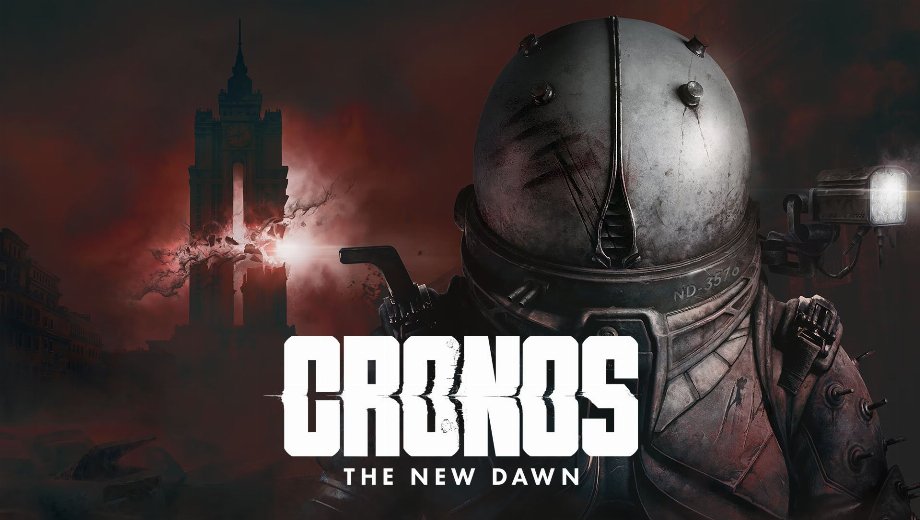
Cronos: The New Dawn Ultimate Engine Tweaks Mod v4.0
2. Januar 2026 – 9:20 Uhr.
                    Die Ultimative Engine-Tweaks Dieser Mod bietet eine umfassende Reihe von Optimierungen für „Cronos: The New Dawn“ auf Basis der Unreal Engine 5. Er wurde entwickelt, um Ruckler zu beseitigen, die Eingabelatenz zu verringern und die Bildschärfe zu verbessern, und steigert so die Leistung des Spiels, ohne dabei Abstriche bei der Grafikqualität zu machen. Durch die Optimierung der CPU-, GPU- und RAM-Auslastung sorgt er für ein flüssigeres und reaktionsschnelleres Spielerlebnis und behebt dabei häufige Probleme wie Geisterbilder und Flimmern.
Wesentliche Merkmale
- Stottern beseitigen: Optimiert den Datenfluss und die Ressourcenverwaltung, um Bildausfälle und Ruckeln zu minimieren.
- Verbesserte Latenz: Reduziert die Eingabeverzögerung und sorgt so für eine flüssigere und reaktionsschnellere Steuerung.
- Visuelle Klarheit: Verbessert die Bildqualität durch Optimierung von Filmkorn, Bewegungsunschärfe und Hochskalierung (DLSS/FSR) und beseitigt gleichzeitig chromatische Aberration.
- Bessere Stabilität: Enthält Optimierungen zur Vermeidung von Abstürzen und Fehlern, um einen stabilen Spielverlauf zu gewährleisten.
- Zwei Varianten: Bietet spezielle Versionen für Nutzer mit Monitoren mit variabler Bildwiederholfrequenz (VRR/G-Sync/FreeSync) sowie für Nutzer ohne solche Monitore.
Zusätzliche Details
- Kompatibilität: Verwende diesen Mod nicht zusammen mit anderen “Optimierungs”-Mods oder Anpassungen der Engine.ini, da es zu Konflikten kommen kann.
- VRR vs. kein VRR: Wählen Sie die “VRR”-Version, wenn Sie G-Sync oder FreeSync sowohl auf Ihrem Monitor als auch im Grafiktreiber-Kontrollfeld aktiviert haben. Andernfalls verwenden Sie die “No VRR”-Version.
- Sicher in der Anwendung: Der Mod ändert lediglich Konfigurationsdateien und lässt sich ganz einfach deinstallieren, indem man die
Engine.iniDatei, die das Spiel auf die Standardeinstellungen zurücksetzt.
Wie installieren?
- Starten Sie das Spiel zunächst mindestens einmal und schließen Sie es anschließend, damit die erforderlichen Konfigurationsordner erstellt werden.
- Herunterladen der Ultimative Engine-Tweaks MOD-Datei (wählen Sie je nach Monitor die Version „VRR“ oder „No VRR“ aus).
- Entpacken Sie die Datei `Engine.ini`.
- Presse Gewinn + R, geben Sie `%localappdata%\Cronos\Saved\Config\Windows` ein und drücken Sie die Eingabetaste. (Bei Xbox-PC-Versionen verwenden Sie `%localappdata%\Cronos\Saved\Config\WinGDK`).
- Fügen Sie die extrahierte Datei `Engine.ini` in diesen Ordner ein und überschreiben Sie dabei die vorhandene Datei, falls Sie dazu aufgefordert werden.
- Klicken Sie mit der rechten Maustaste auf die neue Datei „Engine.ini“ und wählen Sie Eigenschaften, überprüfen Sie die Schreibgeschützt Feld und klicken Sie auf „Übernehmen“.
- Starte schließlich das Spiel und genieße die optimierte Leistung!
Download
File information
2. Januar 2026 – 9:20 Uhr.
- File name: CronosTheNewDawn_UltimateUnrealEngine_VRR_v4.0
- File name: CronosTheNewDawn_UltimateUnrealEngine_NoVRR_v4.0
Game is supported by PLITCH

PLITCH - Free & Premium Game Trainer
- Secure Software (Virus checked, GDPR-compliant)
- Easy to use: get ready in less than 5 min
- More than 5300+ supported Games
- +1000 Patches every month & Support

The Hardcore Gaming Experience
Pioneering in offering game trainers and other hardcore gamer-centric content.
LATEST UPDATES



![Wild West Supermarket Simulator v1.0.682a (+4 Trainer) [RazorDOX]](https://618b31e8.delivery.rocketcdn.me/wp-content/uploads/2026/10/Wild-West-Supermarket-Simulator-01-464x276.jpg)

![Eastern Era v1.0-v1.1.x+ (+63 Trainer) [FLiNG]](https://618b31e8.delivery.rocketcdn.me/wp-content/uploads/2026/06/Eastern-Era-01-464x276.jpg)




The Hardcore Gaming Experience
Pioneering in offering game trainers and other hardcore gamer-centric content.





