Gothic 1 Remake – BetterMining-Mod v1.2.0
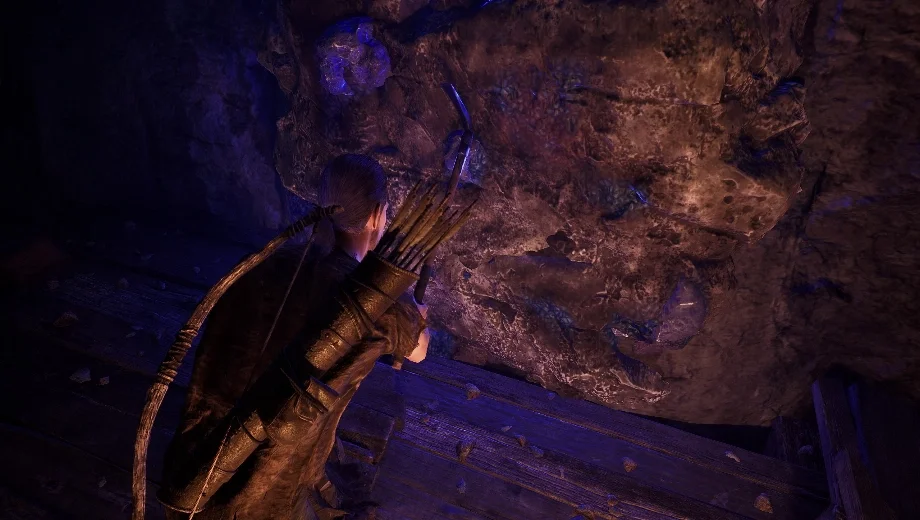
                    Gothic 1 Remake’s ore veins deplete after a small number of hits, which feels inconsistent with mines that are busy around the clock. The BetterMining mod makes ore veins infinite and ties ore yield per hit to your STR and AGI stats instead of a fixed number. Furthermore, the author includes three ready-made presets as well as full manual configuration so you can tune the system to match your preferred playstyle. Consequently, mining feels like a natural character progression reward rather than a resource you exhaust in one visit.
Was ist inbegriffen?
- Infinite ore veins that never deplete.
- Ore yield per hit scales with STR and AGI.
- Three built-in presets: DEFAULT, ONEHIT, and HARDCORE.
- Fully configurable values for all parameters.
Presets at a Glance
- DEFAULT — Every 4 STR and every 6 AGI grant one ore per hit. A new character at 10 STR / 10 AGI earns 3 ore per hit, matching vanilla. Exhaustion prevented.
- ONEHIT — Every 1 STR and 1 AGI grant ore. Exhaustion not prevented.
- HARDCORE — Every 15 STR and 20 AGI grant ore. Slower yield for a grittier roleplay experience. Exhaustion prevented.
Warum Sie diesen Mod brauchen
This mod is useful if you want mining to feel proportional to how much you have invested in your character’s strength and agility. It also removes the odd friction of watching mine workers dig all day while you exhaust every nearby vein in minutes. Additionally, the configurable presets let you dial the system from a generous quality-of-life boost down to a demanding hardcore setup.
Wie man anfängt
- Lade das Mod-Archiv herunter und entpacke es auf deinem PC.
- Installieren Sie UE4SS-Testversion für das „Gothic 1“-Remake, falls ihr das noch nicht getan habt.
- Kopieren Sie die BetterMining Ordner in Ihr UE4SS-Mods-Verzeichnis:
...\Gothic 1 Remake\G1R\Binaries\Win64\ue4ss\Mods\
- Launch the game. The mod activates automatically with DEFAULT settings.
- To switch presets or adjust values, open the config file inside the mod folder and apply the values listed for the preset you want, then restart the game.
- Um das Programm zu deinstallieren, löschen Sie die BetterMining folder from the Mods directory.
- File name: Gothic1Remake_BetterMining_v1.2.0

- Secure Software (Virus checked, GDPR-compliant)
- Easy to use: get ready in less than 5 min
- More than 5300+ supported Games
- +1000 Patches every month & Support




![Wild West Supermarket Simulator v1.0.682a (+4 Trainer) [RazorDOX]](https://618b31e8.delivery.rocketcdn.me/wp-content/uploads/2026/10/Wild-West-Supermarket-Simulator-01-464x276.jpg)

![Eastern Era v1.0-v1.1.x+ (+63 Trainer) [FLiNG]](https://618b31e8.delivery.rocketcdn.me/wp-content/uploads/2026/06/Eastern-Era-01-464x276.jpg)