Monster Hunter Wilds MHW ReShade - CineClarity Mod v1.0
23 de diciembre de 2025 - 9:15 h
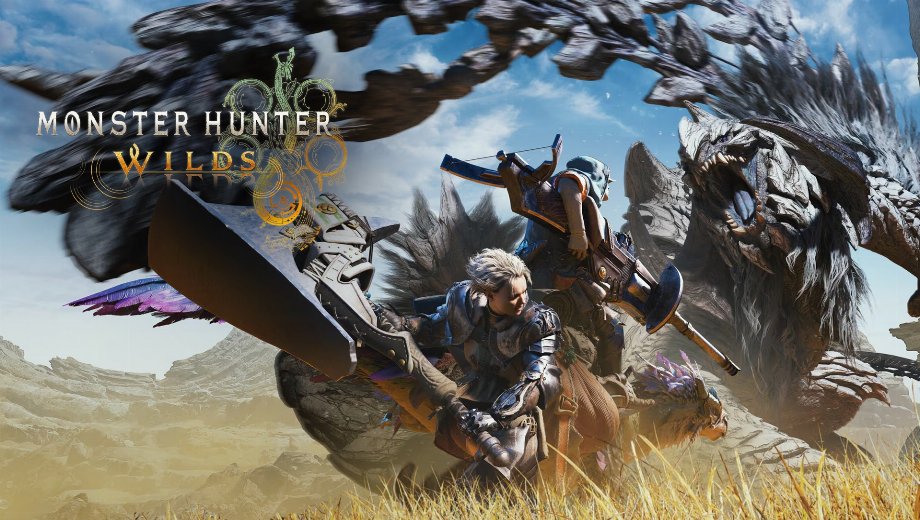
                    En MHW ReShade – CineClarity Este mod mejora la experiencia visual de Monster Hunter Wilds. Aporta profundidad, contraste y nitidez a la imagen del juego. En consecuencia, transforma el aspecto para dotarlo de una atmósfera más cinematográfica y de estilo fantástico. El ajuste preestablecido modifica la iluminación y los colores para que el mundo parezca más rico. Como resultado, los entornos destacan por su nivel de detalle y la estética general se aprecia notablemente mejorada.
Características principales
- Contraste mejorado: Este ajuste preestablecido intensifica las sombras y las luces. De este modo, la imagen parece menos plana y más dinámica.
- Mayor claridad: Realza las texturas y los detalles. Por lo tanto, el mundo del juego se ve más nítido y definido.
- Dos estilos visuales:
- CineClarity (Página principal): Un ajuste equilibrado que mejora la profundidad y la nitidez para la experiencia de juego en general.
- CineClarity (cinemático): Una versión especializada con barras negras de estilo cinematográfico. Está diseñada para formatos de pantalla ultranisos y ofrece una experiencia muy singular, similar a la de una película.
- Efectos personalizables: Puedes ajustar parámetros como la intensidad de la luz ambiental según tus preferencias personales.
Más información
- Requisito: Debe tener REFramework instalado (dinput8.dll). Sin él, ReShade hará que el juego se cuelgue.
- Nota sobre la interpretación: Algunos efectos, como «Film Grain», pueden provocar saltos en la imagen si la frecuencia de fotogramas es inestable.
- Recomendación: Utiliza el archivo principal “CineClarity” para la reproducción estándar. Utiliza “Cinematic” únicamente si deseas específicamente el efecto de las barras negras estilizadas.
Cómo instalar
- En primer lugar, asegúrate de que REFramework está instalado en el directorio del juego.
- Descargar e instalar ReShade, seleccionando el archivo ejecutable del juego y DirectX 10/11/12+.
- Cuando se te pida que selecciones los efectos, elige “desmarcar todo” y, a continuación, “marcar todo” para instalarlo todo.
- Descargar el MHW ReShade – CineClarity archivo mod (elige entre CineClarity o CineClarity2).
- Descomprime el contenido del mod en el directorio del juego.
- Por último, inicia el juego y pulsa Inicio para abrir el menú de ReShade y seleccionar el ajuste preestablecido que desees.
Download
File information
23 de diciembre de 2025 - 9:15 h
- File name: MonsterHunterWild_CineClarity_Cinematic_v1.0
- File name: MonsterHunterWilds_CineClarity_v1.0
Game is supported by PLITCH

PLITCH - Free & Premium Game Trainer
- Secure Software (Virus checked, GDPR-compliant)
- Easy to use: get ready in less than 5 min
- More than 5300+ supported Games
- +1000 Patches every month & Support

The Hardcore Gaming Experience
Pioneering in offering game trainers and other hardcore gamer-centric content.
LATEST UPDATES



![Fishing Inc (+9 Trainer) [Mafioznik]](https://618b31e8.delivery.rocketcdn.me/wp-content/uploads/2026/10/Fishing-Inc-01-464x276.jpg)

![Granblue Fantasy: Relink v1.0-v2.0.x+ (+36 Trainer) [FLiNG]](https://618b31e8.delivery.rocketcdn.me/wp-content/uploads/2024/02/granblue-fantasy-relink-1-464x276.jpg)




The Hardcore Gaming Experience
Pioneering in offering game trainers and other hardcore gamer-centric content.