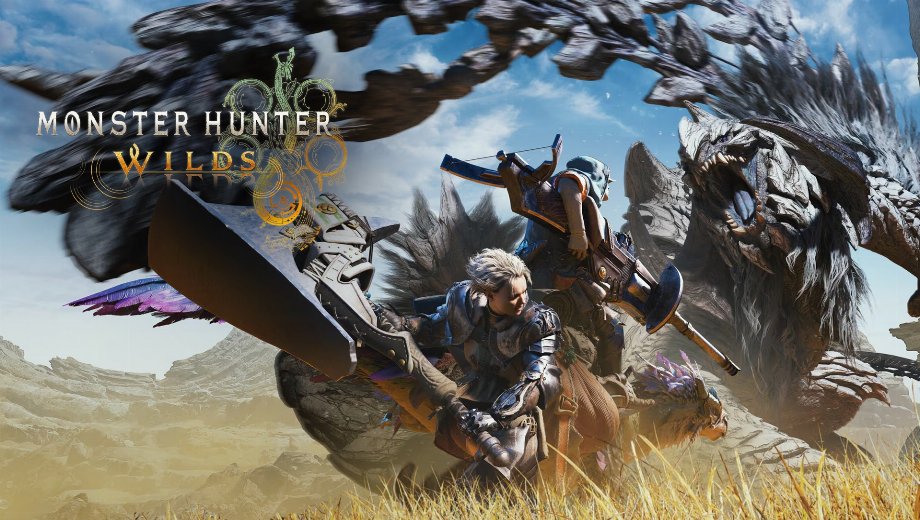
Monster Hunter Wilds MHW ReShade - CineClarity Mod v1.0
décembre 23, 2025 - 9:15am
                    Le MHW ReShade – CineClarity mod enhances the visual experience of Monster Hunter Wilds. It adds depth, contrast, and clarity to the game’s image. Consequently, it transforms the look to give it a more cinematic, fantasy-style atmosphere. The preset adjusts lighting and colors to make the world feel richer. As a result, environments pop with detail, and the overall aesthetic feels significantly upgraded
Caractéristiques principales
- Enhanced Contrast: The preset deepens shadows and highlights. This makes the image look less flat and more dynamic.
- Improved Clarity: It sharpens textures and details. Therefore, the game world looks crisper and more defined.
- Two Visual Styles:
- CineClarity (Main): A balanced enhancement that improves depth and clarity for general gameplay.
- CineClarity (Cinematic): A specialized version with cinematic black bars. It is designed for Ultrawide aspect ratios and offers a very distinct, movie-like experience.
- Customizable Effects: You can tweak settings like Ambient Light intensity to suit your personal preference.
Détails supplémentaires
- Exigence : Vous devez avoir Cadre de référence installed (dinput8.dll). Without it, ReShade will crash the game.
- Performance Note: Some effects, like Film Grain, might cause stuttering if your framerate is unstable.
- Recommendation: Use the main “CineClarity” file for standard play. Only use “Cinematic” if you specifically want the stylized black bars effect.
Comment installer
- First, ensure Cadre de référence est installé dans votre répertoire de jeu.
- Télécharger et installer ReShade, selecting the game executable and DirectX 10/11/12+.
- When asked to select effects, choose “uncheck all” and then “check all” to install everything.
- Télécharger le MHW ReShade – CineClarity mod file (choose either CineClarity or CineClarity2).
- Extract the mod contents into your game directory.
- Finally, launch the game, press Accueil to open the ReShade menu, and select your chosen preset.
Download
File information
décembre 23, 2025 - 9:15am
- File name: MonsterHunterWild_CineClarity_Cinematic_v1.0
- File name: MonsterHunterWilds_CineClarity_v1.0
Game is supported by PLITCH

PLITCH - Free & Premium Game Trainer
- Secure Software (Virus checked, GDPR-compliant)
- Easy to use: get ready in less than 5 min
- More than 5300+ supported Games
- +1000 Patches every month & Support

The Hardcore Gaming Experience
Pioneering in offering game trainers and other hardcore gamer-centric content.
LATEST UPDATES



![Fishing Inc (+9 Trainer) [Mafioznik]](https://618b31e8.delivery.rocketcdn.me/wp-content/uploads/2026/10/Fishing-Inc-01-464x276.jpg)

![Granblue Fantasy: Relink v1.0-v2.0.x+ (+36 Trainer) [FLiNG]](https://618b31e8.delivery.rocketcdn.me/wp-content/uploads/2024/02/granblue-fantasy-relink-1-464x276.jpg)




The Hardcore Gaming Experience
Pioneering in offering game trainers and other hardcore gamer-centric content.