Gothic 1 Remake v1.0–v1.0.1+ (+50 Trainer)
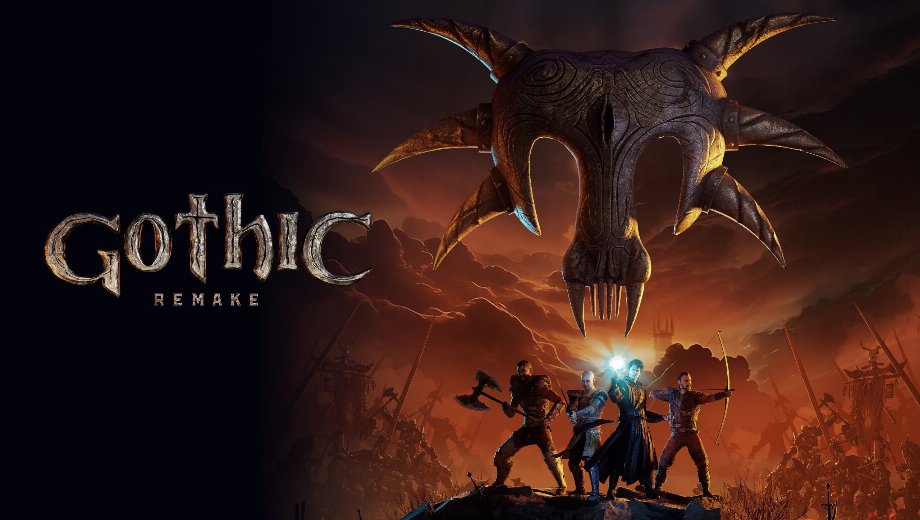
                    El remake de Gothic 1 te sumerge en un mundo abierto denso e implacable, con recursos limitados y sin que nadie te lleve de la mano. En concreto, el maná y la salud se agotan rápidamente en combate, las flechas se acaban en las cacerías largas y las ganzúas se rompen constantemente durante la exploración. Además, los puntos de aprendizaje se acumulan lentamente, los intentos de carterismo fracasan si no se tienen unas estadísticas lo suficientemente altas, y el ciclo de día y noche impone una gran presión de tiempo a la hora de completar las misiones.
Afortunadamente, el «Gothic 1 Remake +50 Trainer» de FLiNG pone todos y cada uno de esos sistemas bajo tu control. En concreto, abarca la supervivencia en combate, los objetos, la apertura de cerraduras, el teletransporte, la velocidad, la física, las estadísticas del jugador y la edición completa del valor de protección a través de 50 opciones. Este trainer es compatible con las versiones del juego desde la 1.0 hasta la 1.0.1+ y se actualizó por última vez el 13 de junio de 2026.
El arsenal del trainer de The Gothic 1 Remake
Estas 50 opciones se dividen en cinco grupos: combate y objetos, progresión y teletransporte, velocidad y física, estadísticas de los jugadores y protecciones de los jugadores.
Opciones de combate y de objetos
- N.º 1 (Modo Dios/Ignorar golpes): El jugador no sufre daño alguno por ningún golpe.
- N.º 2 (Salud infinita): La salud no se agotará.
- N.º 3 (Maná infinito): El maná no se agotará.
- N.º 4 (Oxígeno infinito): El oxígeno no se agota bajo el agua.
- N.º 5 (Equilibrio máximo): El equilibrio siempre se encuentra en su valor máximo.
- N.º 6 (sin alcohol): El nivel de alcohol siempre se establece en cero.
- N.º 7 (Zero Swampweed): El nivel de «Swampweed» siempre está fijado en cero.
- N.º 8 (Flechas infinitas): Las flechas no se agotarán.
- N.º 9 (Consumibles infinitos): Los artículos consumibles no se agotarán.
- N.º 0 (Pergaminos mágicos infinitos): Los pergaminos mágicos no se agotarán.
- N.º (Equilibrio de IA vacío): La energía de la IA enemiga se va agotando continuamente.
- Número + (Daño extra/Muerte con un solo golpe): Derrota a los enemigos de un solo golpe.
- Núm. / (Multiplicador de daño): Multiplica el daño que infliges.
- Núm. * (Multiplicador de defensa): Multiplica tu defensa frente al daño recibido.
Progresión, habilidades y opciones de teletransporte
- Ctrl+Num 1 (Editar cantidad del artículo): Modifica la cantidad de un artículo seleccionado de tu inventario.
- Ctrl+Num 2 (Exp. infinita): La experiencia no se agotará.
- Ctrl+Num 3 (Multiplicador de experiencia): Multiplica la experiencia que ganas.
- Ctrl+Num 4 (Editar puntos de aprendizaje): Modifica directamente el total de tus puntos de aprendizaje.
- Ctrl+Num 5 (El carterismo siempre tiene éxito): Todos los intentos de hurto tienen éxito.
- Ctrl+Num 6 (la habilidad «Forzar cerraduras» no disminuirá): La durabilidad de la ganzúa no disminuirá.
- Ctrl+Num 7 (la ganzúa no se rompe): Las ganzúas nunca se rompen.
- Ctrl+Num 8 (Apertura fácil de cerraduras): La apertura de cerraduras resulta mucho más fácil.
- Ctrl+Num 9 (Congelar la hora del día): La hora del día en el juego está congelada.
- Ctrl+Num 0 (Velocidad de avance del tiempo): Ajusta la velocidad a la que transcurre el tiempo en el juego.
- Ctrl+Num. (Guardar ubicación): Guarda tu posición actual para el teletransporte.
- Ctrl+Num + (Teletransportarse a una ubicación guardada): Te teletransporta a la posición que hayas guardado.
- Ctrl+Num – (Deshacer teletransporte): Anula el teletransporte más reciente.
Opciones de velocidad y física
- Alt+Num 1 (Ajustar la velocidad del juego): Ajusta la velocidad general del juego.
- Alt+Num 2 (Establecer velocidad de movimiento): Ajusta la velocidad de movimiento general.
- Alt+Num 3 (Ajustar la velocidad del jugador): Ajusta específicamente la velocidad de movimiento del jugador.
- Alt+Num 4 (Ajustar velocidad de la IA): Ajusta la velocidad de movimiento de los personajes controlados por la IA.
- Alt+Num 5 (Establecer altura de salto): Ajusta la altura a la que puede saltar el jugador.
- Alt+Num 6 (Establecer gravedad): Ajusta la intensidad de la gravedad en el mundo del juego.
- Alt+Num 7 (Configurar campo de visión): Ajusta el campo de visión.
Editar las estadísticas de los jugadores
- Ctrl+F1 (Nivel): Edita directamente tu nivel actual.
- Ctrl+F2 (Experiencia): Modifica tu valor de experiencia actual.
- Ctrl+F3 (Salud): Modifica tu valor de salud actual.
- Ctrl+F4 (Mana): Modifica tu valor actual de maná.
- Ctrl+F5 (Salud máxima): Modifica tu valor de salud máxima.
- Ctrl+F6 (Máximo de maná): Modifica tu valor máximo de maná.
- Ctrl+F7 (Intensidad): Modifica directamente tu estadística de Fuerza.
- Ctrl+F8 (Destreza): Modifica directamente tu valor de Destreza.
Editar protecciones de los jugadores
- Shift+F1 (Protección contra golpes contundentes): Modifica tu protección contra el daño por impacto.
- Shift+F2 (Protección de bordes): Modifica tu protección contra los daños en los bordes.
- Shift+F3 (Protección de puntos): Modifica tu protección contra el daño puntual.
- Shift+F4 (Protección contra incendios): Modifica tu protección contra los daños causados por el fuego.
- Shift+F5 (Protección energética): Modifica tu protección contra el daño energético.
- Shift+F6 (Protección contra el hielo): Modifica tu protección contra los daños causados por el hielo.
- Shift+F7 (Protección contra el viento): Modifica tu protección contra los daños causados por el viento.
- Shift+F8 (Protección contra caídas): Modifica tu protección contra el daño por caída.
Instrucciones y consejos importantes para los formadores
Sigue estos pasos para que el entrenador funcione correctamente.
- Versiones compatibles: De la versión 1.0 a la 1.0.1+. Última actualización: 13 de junio de 2026.
- Orden de lanzamiento: Inicia el juego y el entrenador en cualquier orden. Ambos funcionan bien.
- Bloq Num: Debe estar activada para que respondan todas las teclas de acceso rápido del teclado numérico.
- Nota sobre el antivirus: Algunas herramientas marcan a los entrenadores como sospechosos debido al «hooking» de memoria. Añade una excepción si confías en la fuente.
- Guarda primero: Haz una copia de seguridad de tus archivos guardados antes de activar cualquier opción.
Este entrenador está pensado exclusivamente para un solo jugador.

- Secure Software (Virus checked, GDPR-compliant)
- Easy to use: get ready in less than 5 min
- More than 5300+ supported Games
- +1000 Patches every month & Support




![CarX Street v1.15.0 (+5 Trainer) [xX_Morda_Xx]](https://618b31e8.delivery.rocketcdn.me/wp-content/uploads/2024/09/carx-street-1-464x276.jpg)

![CONTROL Resonant v1.0-v1.4.x+ (+26 Trainer) [FLiNG]](https://618b31e8.delivery.rocketcdn.me/wp-content/uploads/2026/09/CONTROL-Resonant-01-464x276.jpg)






Trainers are memory resident programs that alter the behavior of a game.
Your antivirus software and web browser may detect them as malware (viruses, worms, trojans, bots etc.).
This is almost always a false alarm.
- File name: Gothic.1.Remake.v1.0-v1.0.1.Plus.50.Trainer-FLiNG







![Nioh 3 v1.0-v2.0+ (+50 Trainer) [FLiNG]](https://618b31e8.delivery.rocketcdn.me/wp-content/uploads/2025/11/Nioh-3-01-464x276.jpg)


