Entrenador de PLITCH para «Dead as Disco»
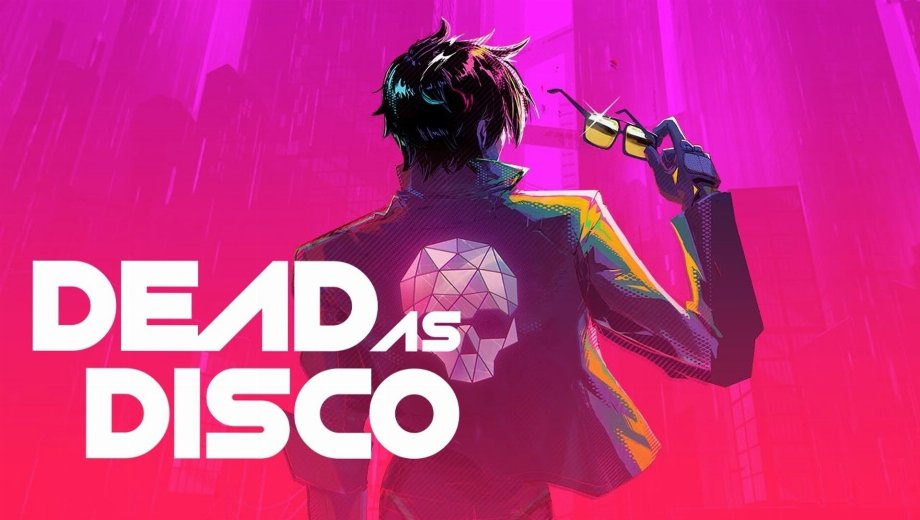
El formador de un vistazo
- Trucos totales: 12
- Trucos gratis: 2
- Trucos Premium: 9
- Plataforma: PC (Steam)
- Modo de juego: Un jugador
- Desarrollador/Editor: Brain Jar Games
- Año de lanzamiento: 2026
Dead as Disco is a neon-soaked beat ’em up where martial arts and music collide. You play as Charlie Disco, a down-on-his-luck star fighting his way back to the top by taking down the Idols that stole his fame. The game is built around rhythmic combat, combo chains, and stylish takedowns, with a Fever Mode mechanic that supercharges your performance when filled. Currency and combat scores track your in-fight efficiency and gate access to upgrades. The PLITCH trainer for Dead as Disco covers all 12 cheats across health, Fever Mode, takedowns, currency, and combat scoring.
Free Cheats for Dead as Disco
Estos trucos son gratuitos y están disponibles para todos los usuarios de PLITCH.
- Recarga de Salud: Restores Charlie’s health. Use it to recover from a rough combo string or a bad read without having to restart a fight from scratch.
- Refill Fever Mode Meter: Fills the Fever Mode meter immediately. This lets you trigger Fever Mode at will rather than waiting for it to build organically through combat, which can significantly change how a fight plays out.
PREMIUM Cheats for Dead as Disco
The following cheats are available for PLITCH PREMIUM users and give deeper control over survivability, Fever Mode, takedown options, currency, and scoring.
Salud y energía
- Salud ilimitada: Prevents your health from dropping. This removes combat pressure entirely and is ideal when you want to focus on learning combos, exploring the game’s style system, or pushing through a difficult section.
- Unlimited Fever Mode: Keeps Fever Mode active indefinitely. Since Fever Mode amplifies your combat power significantly, having it always on turns every fight into a maximum-intensity showcase.
Dinero y recursos
- Unlimited Takedown Tokens: Prevents Takedown Tokens from running out. Takedowns are one of your most powerful finishing options, and having an unlimited supply lets you use them freely without rationing.
- Unlimited Currency: Keeps your in-game currency from depleting. This removes economic pressure from upgrades and lets you invest in builds and items without grinding.
- Increase Currency: Adds currency to your current total. Use this for a targeted boost whenever you need funds for a specific purchase.
- Reset Currency to 0: Sets your currency back to zero. This is useful for self-imposed challenge runs or for testing how the game feels when starting poor.
Systems
- Max Combat Score: Sets your combat score to the maximum value. This is useful for unlocking score-gated rewards or simply for enjoying the satisfaction of a perfect rating without grinding the scoring system.
- Increase Combat Score: Raises your current combat score. Use this for a more gradual boost rather than jumping straight to the maximum.
- Reset Combat Score to 0: Resets your combat score to zero. This lets you test fights from a clean scoring slate.
Cómo ayudan estos trucos
- Learning the combat system: Dead as Disco’s rhythm-based combat has a learning curve. Unlimited Health removes the punishment for mistimed inputs and lets you practice combo routes freely without constant game-overs.
- Fever Mode experimentation: Fever Mode changes the game’s feel dramatically. Having it always active or refillable on demand lets you fully explore what the powered-up combat state offers without waiting for the meter to build.
- Score optimization: The combat score cheats are ideal for players who care about rankings and want to test different approaches to maximizing their score without replaying sections repeatedly.
- Resource-free progression: Unlimited Currency and Takedown Tokens remove the grind from Dead as Disco’s upgrade loop, so you can focus on the combat rather than resource management.
Uso del Entrenador
- Paso 1: Descargue e instale el cliente PLITCH y, a continuación, cree una cuenta gratuita o premium.
- Segundo paso: Abre PLITCH y busca Muerto como el disco en la lista de juegos.
- Tercer paso: Inicia el juego a través de Steam y, a continuación, vuelve a PLITCH.
- Paso 4: Activate the cheats you want in the PLITCH overlay and customize health, Fever Mode, currency, and combat score to match your preferred play experience.
Nota: PLITCH está diseñado para un solo jugador. Es posible que algunos programas antivirus o herramientas de seguridad marquen los «trainers» como sospechosos, ya que interactúan con la memoria del juego, por lo que quizá tengas que añadir excepciones.

- Secure Software (Virus checked, GDPR-compliant)
- Easy to use: get ready in less than 5 min
- More than 5300+ supported Games
- +1000 Patches every month & Support


![Moadra v1.0 (+6 Trainer) [RazorDOX]](https://618b31e8.delivery.rocketcdn.me/wp-content/uploads/2026/10/Moadra-01-464x276.jpg)

![Dying Light 2 Stay Human v1.0-v1.3x+ (+33 Trainer) [FLiNG]](https://618b31e8.delivery.rocketcdn.me/wp-content/uploads/2024/03/dying-light-2_0-464x276.jpg)







Reasons why PC Gamers love PLITCH
 1000+ monthly Patches
 Make your games harder
 World-class Player Support
 100% People Business
 100% secure software
 Available in 11 languages
Unfortunately, the download is no longer available. Here are some alternatives:
- All downloads for this game: Muerto como el disco




![Nioh 3 v1.0-v2.0+ (+50 Trainer) [FLiNG]](https://618b31e8.delivery.rocketcdn.me/wp-content/uploads/2025/11/Nioh-3-01-464x276.jpg)


