Final Fantasy Resonance Ultrawide Mod v2.0.1

octobre 27, 2026 - 8:45am
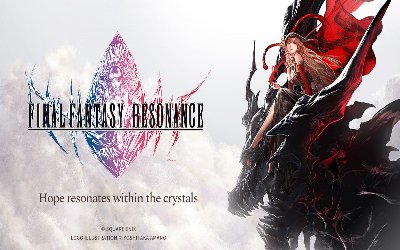
                    Picture Final Fantasy Resonance covering a 5120×1440 screen edge to edge, while the menus still sit in the middle. The Final Fantasy Resonance Ultrawide mod delivers that with one standalone dxgi.dll file. It gives 32:9 and 21:9 monitors a real Hor+ image, so nothing gets stretched. As a result, the world fills your whole display.
What It Does in Game
- FFResonance Ultrawide: Packs everything into one 283KB archive, so two files do the whole job.
- dxgi.dll: Runs as a standalone file beside the game executable, so no game files change.
- FFRS_UW.ini: Holds every setting, so you can tweak the layout in Notepad.
- True Ultrawide: Delivers a real Hor+ image on 32:9 and 21:9 screens, then lists your monitor’s own resolutions.
- Centered Interface: Places menus, HUD, and shops in a centred 16:9 area, so backgrounds still use the full width.
- Cutscene Switching: Moves movies and Resonance, Limit Break, and Esper scenes to 16:9, then returns to ultrawide afterward.
- Hotkeys: Press F1 to switch the mod on or off, then F4 to toggle the vignette.
- Vignette and Depth of Field: Reshape the vignette to a 16:9 look and keep depth of field at 100%, so scenes match the original.
- World Map Layout: Instead of the original layout, it shows a wide map by default, and you can switch back.
Why It’s Worth Installing
Your whole monitor finally gets used, so the interface stays readable in the centre. Setup takes two files, so you can test it in a minute. Still, if anything looks off, press F1 to turn the mod off at once.
Getting It Running
- Téléchargez le mod et décompressez l'archive sur votre PC.
- First, open the folder that holds the game executable. On Steam, that is SteamLibrary\steamapps\common\FINAL FANTASY RESONANCE\FFRS\Binaries\Win64.
- On the Xbox app, open FINAL FANTASY RESONANCE\Content\FFRS\Binaries\WinGDK au lieu de cela.
- Copy dxgi.dll et FFRS_UW.ini dans ce dossier.
- Then start the game, open Settings > Graphics, and pick your ultrawide resolution in Fullscreen. Entries may take a few seconds to appear.
- To update, replace FFRS_UW.ini with the new file, then copy over your changed values.
- To uninstall, delete dxgi.dll et FFRS_UW.ini from that folder.
Compatibility and Tips
- The mod works on the Steam and Xbox app versions, including the demos.
- The monitor resolution list appears only in exclusive Fullscreen, so Windowed and Borderless use the game’s own list.
- If the mod does not recognise the game build, it does nothing.
- Mouse clicks can land offset in menus that move, so use a controller or keyboard there.
- Narrower ratios, such as 16:10, remain untested.
Download
File information
octobre 27, 2026 - 8:45am
- File name: FFResonance_Ultrawide_v2.0.1

PLITCH - Free & Premium Game Trainer
- Secure Software (Virus checked, GDPR-compliant)
- Easy to use: get ready in less than 5 min
- More than 5300+ supported Games
- +1000 Patches every month & Support

The Hardcore Gaming Experience
Pioneering in offering game trainers and other hardcore gamer-centric content.
LATEST UPDATES



![SILENT HILL: Townfall v1.5.x+ (+19 Trainer) [FLiNG]](https://618b31e8.delivery.rocketcdn.me/wp-content/uploads/2026/09/Silent-Hill-Townfall-01-464x276.jpg)




The Hardcore Gaming Experience
Pioneering in offering game trainers and other hardcore gamer-centric content.