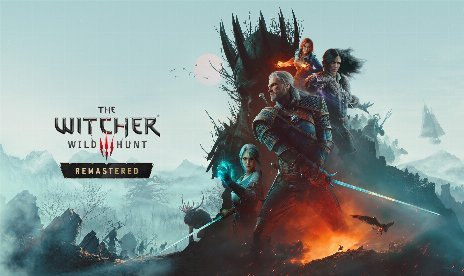
Mod d'optimisation du path tracing et du ray tracing pour The Witcher 3 : Wild Hunt, version 4.0

                    Path tracing in The Witcher 3 Remastered looks stunning, but it drains frame rates fast, especially indoors. The Path Tracing and Ray Tracing Optimization mod cuts path tracing to one light bounce instead of two. Its DLL rebuilds the path tracing shader on your first launch, since the game compiles its bounce limit into it. As a result, you gain about 10% outdoors and up to 30% indoors, where path tracing runs slowest.
Ce qui est inclus
- PT Optimization 2.0: the single archive that holds the bin dossier.
Pourquoi vous avez besoin de ce module
Path tracing still runs ray-traced shadows on top of itself, so turning them off adds about 10% with regular shadows. Similarly, turning caustics off under ray tracing adds about 5%, although water loses its light patterns. Movement also feels steadier, because the mod spreads out scene updates and texture streaming. Beyond that, light bounces go up to 4 on high-end GPUs, and hair bounces go up to 6. Meanwhile, bounced light brightness makes up for the removed bounce. Lowering sky or moon light then helps scenes that look washed out. However, one bounce makes the darkest indoor corners about 10% darker, while outdoors looks the same. Since every setting is adjustable, you can raise the bounce count whenever your GPU has headroom.
Comment démarrer
- Téléchargez le mod et décompressez l'archive sur votre PC.
- First, copy the bin folder into your game folder.
- Next, remove any other mod that ships an xinput9_1_0.dll file, such as the old RTXGI Setting Unlocker.
- Then launch the game for the first time, so the mod builds its path tracing shader in about a second.
- Finally, open Options > Video > Graphics and scroll to the bottom, where every new setting applies instantly.
- To update, replace all files, and your in-game settings stay as they are.
- To uninstall, delete xinput9_1_0.dll, rt_pt_shader2.dxilet rt_optimizer.log de bin\x64_dx12. Also delete RTOptimization.ini de bin\config\platform\pc et pt_optimization.xml de bin\config\r4game\user_config_matrix\pc.
Bon à savoir
- This mod includes AI-generated media.
- Furthermore, the latest update adds 5.0c compatibility.
- The mod works on GOG and Steam with NVIDIA and AMD GPUs. It also works with DLSS, FSR, XeSS, and frame generation.
- If something fails, check the rt_optimizer.log file in bin\x64_dx12.
- File name: TW3WH_PTOptimization_v4.0

- Secure Software (Virus checked, GDPR-compliant)
- Easy to use: get ready in less than 5 min
- More than 5300+ supported Games
- +1000 Patches every month & Support





![Gears of War: E-Day v1.0-v20261014+ (+19 Trainer) [FLiNG]](https://618b31e8.delivery.rocketcdn.me/wp-content/uploads/2026/06/Gears-of-War-E-Day-01-464x276.jpg)