Formateur PLITCH pour « Hearth and Hamlet »
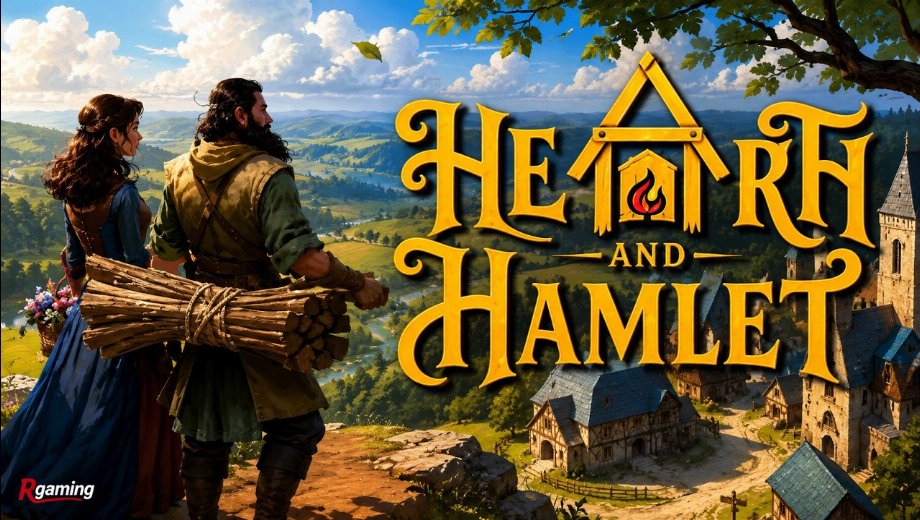
Le formateur en un coup d'œil
- Total Cheats: 26
- Free Cheats: 2
- Premium Cheats: 23
- Plateforme : PC (Steam)
- Mode de jeu : Solo
- Genre: Simulation, Strategy
- Developer: Phorust Studios
- Publisher: Runic Forge, Gamersky Games
- Année de sortie : 2026
Hearth and Hamlet tasks you with growing a medieval settlement from a handful of villagers into a thriving hamlet, balancing wood, stone, food, and population growth along the way. Phorust Studios built the resource loop so that storage limits and consumption rates matter constantly, meaning a single shortage can stall your settlement’s growth for a while.
Population happiness and starvation levels add another layer of pressure, since neglecting food supply or overcrowding your hamlet can quickly undo progress you have already built up.
The PLITCH trainer for Hearth and Hamlet covers 26 cheats spanning population control and every resource type in the game.
Free Cheats for Hearth and Hamlet
The free tier lets you adjust your hamlet’s population directly.
- Add Population: Increases your hamlet’s population count immediately.
- Sub Population: Decreases your hamlet’s population count if you want a tighter labor pool.
PREMIUM Cheats for Hearth and Hamlet
PREMIUM unlocks full control over resources and population systems.
Argent/Ressources
- Add Wood: Adds wood to your stockpile for construction and upgrades.
- Add Stone: Adds stone to your stockpile for building projects.
- Add Food: Adds food to keep your population fed.
- Add Iron: Adds iron for crafting and tool production.
- Ajouter de l'or : Adds gold for trading and upgrades.
- Add Magic: Adds magic resource for special abilities and projects.
- Dec Wood: Reduces your wood stockpile if you want a tighter resource challenge.
- Dec Stone: Reduces your stone stockpile for added difficulty.
- Dec Food: Reduces your food stockpile to increase pressure on your hamlet.
- Sub Iron: Reduces your iron stockpile directly.
- Sous-or : Reduces your gold stockpile directly.
- Sub Magic: Reduces your magic stockpile directly.
- Set Max Wood Storage: Raises the cap on how much wood you can store.
- Set Max Stone Storage: Raises the cap on how much stone you can store.
- Set Max Food Storage: Raises the cap on how much food you can store.
- Set Max Iron Storage: Raises the cap on how much iron you can store.
- Set Max Gold Storage: Raises the cap on how much gold you can store.
- Set Max Magic Storage: Raises the cap on how much magic you can store.
Player general
- Set Max Population: Raises the ceiling on how many villagers your hamlet can support.
- Set Population Food Consumption Multiplier: Adjusts how quickly your population burns through food supplies.
- Set Starvation Level: Sets how close your population is to starvation directly.
- Set Base Happiness: Adjusts your villagers’ baseline happiness level.
- Set Player Clicks Per Second: Changes how many actions register per second when interacting with your hamlet.
How to Use the PLITCH Trainer for Hearth and Hamlet
- Étape 1 Cliquez sur le bouton vert “Essayez-le gratuitement !” sur cette page pour télécharger le client PLITCH en toute sécurité.
- Étape 2 Créez un compte PLITCH gratuit ou PREMIUM.
- Étape 3 Open the PLITCH client and search for Hearth and Hamlet.
- Étape 4 Launch Hearth and Hamlet via Steam, then activate your chosen cheats in the PLITCH overlay to grow your settlement without resource limits.
Remarque : PLITCH est conçu pour une utilisation en solo uniquement. Certains antivirus ou outils de sécurité peuvent signaler les « trainers » comme suspects, car ceux-ci interagissent avec la mémoire du jeu ; vous devrez donc peut-être ajouter une exception pour PLITCH dans votre logiciel de sécurité.

- Secure Software (Virus checked, GDPR-compliant)
- Easy to use: get ready in less than 5 min
- More than 5300+ supported Games
- +1000 Patches every month & Support



![PEAK v2.6 (+28 Trainer) [Sacracia]](https://618b31e8.delivery.rocketcdn.me/wp-content/uploads/2025/07/Peak-1-464x276.jpg)

![Dragon’s Dogma 2 v1.0-v20261008+ (+36 Trainer) [FLiNG]](https://618b31e8.delivery.rocketcdn.me/wp-content/uploads/2026/10/Dragons-Dogma-2-01-scaled.avif)






Reasons why PC Gamers love PLITCH
 1000+ monthly Patches
 Make your games harder
 World-class Player Support
 100% People Business
 100% secure software
 Available in 11 languages
Unfortunately, the download is no longer available. Here are some alternatives:
- All downloads for this game: Hearth and Hamlet



![Star Wars Jedi : Fallen Order v1.0.10.0 (+12 Trainer) [Async]](https://618b31e8.delivery.rocketcdn.me/wp-content/uploads/2026/05/Star-Wars-Jedi-Fallen-Order-01-464x276.jpg)

![Nioh 3 v1.0-v2.0+ (+50 Trainer) [FLiNG]](https://618b31e8.delivery.rocketcdn.me/wp-content/uploads/2025/11/Nioh-3-01-464x276.jpg)


