DragonSword: Awakening v1.0–v1.0.x+ (+53 Trainer)
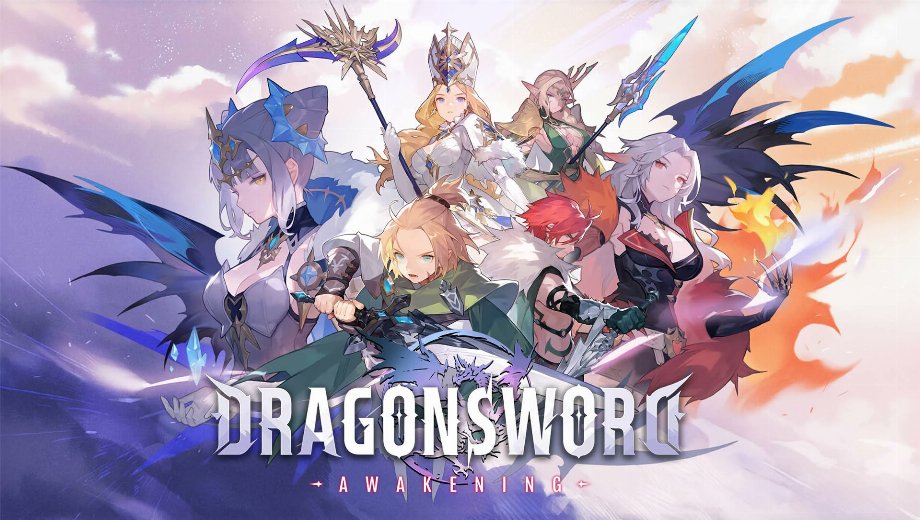
                    DragonSword: Awakening layers shield breaks, character swaps, food buffs, and familiars into every battle. Cooldowns, rare upgrade materials, and slow experience gain stretch the grind. This trainer cuts through all of it.
FLiNG built this trainer with 53 options, covering combat, movement, teleporting, progression, and item grants. It supports DragonSword: Awakening version v1.0-v1.0.x+ and was last updated on September 4, 2026.

The Full Arsenal
These 53 options split into seven groups: combat and survival, movement and world, teleport, progression and currency, and three item groups.
Combat & Survival Options
- Nr. 1 (Gott-Modus/ Treffer ignorieren): Blocks all incoming damage.
- Nr. 2 (Unendliche Gesundheit): Locks your health bar at full.
- Num 3 (Infinite Shield): Keeps your shield gauge full.
- Num 4 (Infinite Stamina): Keeps your stamina full for constant dodging.
- Num 5 (Infinite Familiar Stamina): Keeps your familiar’s stamina full.
- Num 6 (No Skill Cooldown): Removes cooldowns on your skills.
- Num 7 (No Switch Character Cooldown): Lets you swap characters without waiting.
- Num 8 (No Food Cooldown): Removes the cooldown on food buffs.
- Num 9 (100% Critical Chance): Sets your critical hit chance to 100 percent.
- Num 0 (Super Shield Damage/One Hit Breaks): Breaks enemy shields in a single hit.
- Num . (Shield Damage Multiplier): Sets a multiplier on shield damage you deal.
- Num + (Shield Defense Multiplier): Sets a multiplier on shield damage you take.
- Num – (Super Damage/One Hit Kills): Defeats most enemies in a single hit.
- Num / (Damage Multiplier): Sets a multiplier on the damage you deal.
- Num * (Defense Multiplier): Sets a multiplier on the damage you take.
Movement & World Options
- Ctrl+Num 1 (Set Move Speed): Adjusts your walking and running speed.
- Ctrl+Num 2 (Set Swim Speed): Adjusts your swimming speed.
- Ctrl+Num 3 (Set Player Speed): Adjusts your character’s overall speed.
- Ctrl+Num 4 (Set AI Speed): Adjusts the speed of AI-controlled characters.
- Ctrl+Num 5 (Set Jump Height): Changes how high you jump.
- Ctrl+Num 6 (Set FOV): Changes your field of view.
- Ctrl+Num 7 (Freeze Time of Day): Locks the time of day in place.
- Ctrl+Num 8 (Time Pass Speed): Adjusts how quickly time moves in-game.
- Ctrl+Num 9 (Set Game Speed): Speeds up or slows down the entire game.
Teleport Options
- Ctrl+Num / (Save Location): Saves your current position for later.
- Ctrl+Num * (Teleport): Instantly returns you to your saved position.
- Ctrl+Num – (Undo Teleport): Sends you back to where you were before teleporting.
Progression & Currency Options
- Alt+Num 1 (Edit Money): Sets your money total to any value you choose.
- Alt+Num 2 (Money Multiplier): Multiplies the money you earn.
- Alt+Num 3 (Items Won’t Decrease): Stops items from being used up.
- Alt+Num 4 (Infinite Hero Exp): Maxes out experience gain for your hero.
- Alt+Num 5 (Hero Exp Multiplier): Multiplies the experience your hero earns.
- Alt+Num 6 (Infinite Mercenary Exp): Maxes out experience gain for your mercenaries.
- Alt+Num 7 (Mercenary Exp Multiplier): Multiplies the experience your mercenaries earn.
Bulk Item Options
- Shift+F1 (Obtain All Foods): Adds every food item to your inventory.
- Shift+F2 (Obtain All Materials): Adds every crafting material to your inventory.
- Shift+F3 (Obtain All Ingredients): Adds every cooking ingredient to your inventory.
Special Item Options
- Shift+F4 (Fate’s Invitation): Adds Fate’s Invitation to your inventory.
- Shift+F5 (Fragment of Sacred Light): Adds Fragment of Sacred Light to your inventory.
- Shift+F6 (Fragment of Memory): Adds Fragment of Memory to your inventory.
- Shift+F7 (Fragment of Afterimage): Adds Fragment of Afterimage to your inventory.
- Shift+F8 (Adventurer’s Emblem): Adds Adventurer’s Emblem to your inventory.
- Shift+F9 (Radiant Goddess Stone): Adds Radiant Goddess Stone to your inventory.
- Shift+F10 (Lustrous Goddess Stone): Adds Lustrous Goddess Stone to your inventory.
Coin, Key & Crafting Item Options
- Ctrl+F1 (Stigma Awaken Stone): Adds Stigma Awaken Stone to your inventory.
- Ctrl+F2 (Essence of the Demon Dragon): Adds Essence of the Demon Dragon to your inventory.
- Ctrl+F3 (Whirling Thoughts): Adds Whirling Thoughts to your inventory.
- Ctrl+F4 (Orbis Coin): Adds Orbis Coin to your inventory.
- Ctrl+F5 (Velos Coin): Adds Velos Coin to your inventory.
- Ctrl+F6 (Moon Key): Adds Moon Key to your inventory.
- Ctrl+F7 (Anonymous Artisan’s Crafting Tool): Adds Anonymous Artisan’s Crafting Tool to your inventory.
- Ctrl+F8 (Forging Mold): Adds Forging Mold to your inventory.
- Ctrl+F9 (Shape Grinder): Adds Shape Grinder to your inventory.
Wichtige Anweisungen und Tipps für Trainer
Follow these steps for a smooth setup.
- Supported version: v1.0-v1.0.x+ (updated September 4, 2026).
- Launch order: either order works, so start the trainer or the game first.
- If numpad hotkeys don’t respond, check that Num Lock is turned on.
Dieser Trainer ist ausschließlich für den Einzelspielermodus vorgesehen.

- Secure Software (Virus checked, GDPR-compliant)
- Easy to use: get ready in less than 5 min
- More than 5300+ supported Games
- +1000 Patches every month & Support


![Moadra v1.0 (+6 Trainer) [RazorDOX]](https://618b31e8.delivery.rocketcdn.me/wp-content/uploads/2026/10/Moadra-01-464x276.jpg)

![Dying Light 2 Stay Human v1.0-v1.3x+ (+33 Trainer) [FLiNG]](https://618b31e8.delivery.rocketcdn.me/wp-content/uploads/2024/03/dying-light-2_0-464x276.jpg)







Trainers are memory resident programs that alter the behavior of a game.
Your antivirus software and web browser may detect them as malware (viruses, worms, trojans, bots etc.).
This is almost always a false alarm.
- File name: DragonSword Awakening v1.0-v1.0.x Plus 53 Trainer Updated 2026.09.04





![Nioh 3 v1.0–v2.0+ (+50 Trainer) [FLiNG]](https://618b31e8.delivery.rocketcdn.me/wp-content/uploads/2025/11/Nioh-3-01-464x276.jpg)


