PLITCH Trainer for Dragon Shelter
Le formateur en un coup d'œil
- Total Cheats : 10
- Cheats gratuits : 3
- Premium Cheats : 7
- Plate-forme : PC (Steam)
- Mode de jeu : Joueur unique
- Genre : Simulation, Indie
- Développeur : Wild Forest Studio
- Éditeur : Curve Games
- Release Year: 2026
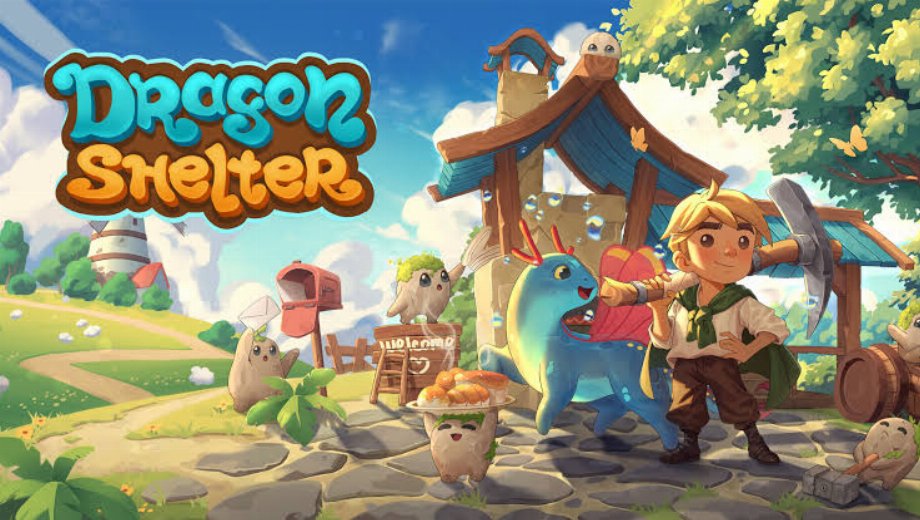
Dragon Shelter is a fantasy farming game from Wild Forest Studio. You rebuild your grandfather’s abandoned farm and restore the bond between humans and dragons. However, farming, cooking and care all take energy, so your days fill up fast.
Beyond the farm, you raise dragon helpers and cheer up a gloomy nearby town. Meanwhile, you grow crops, cook meals and craft goods to use or trade. Gold and inventory space therefore decide how fast you can grow.
The PLITCH trainer for Dragon Shelter offers 10 cheats in total. Three are free, and the other seven need a PREMIUM account.
Free Cheats for Dragon Shelter
The free set covers gold and energy, so a slow start costs you less.
- Ajouter de l'or : Adds gold, so tools and upgrades arrive before your first harvest sells.
- Set Gold to 0: Resets your gold to zero instead, which suits a fresh-start challenge.
- Set Energy: Sets your energy to a chosen value, so a long farming day never ends early.
PREMIUM Cheats for Dragon Shelter
Beyond gold and energy, PREMIUM adds seven cheats across five groups.
Santé/Énergie
- Énergie illimitée : Stops your energy from running out, so work never ends before the day does.
Systèmes
- Unlock All Inventory Slots: Opens every bag slot at once, so harvests never fill your inventory.
- Set Total Amount of Unlocked Inventory Slots: Sets how many slots you own, so you can pick a roomy or tight inventory.
Argent/Ressources
- Or illimité : Keeps your gold from running out, because every purchase stays affordable.
Minuterie
- Freeze Time: Stops the day clock, so chores never run out of time.
- Set Time Speed (default = 85): Changes how fast time passes, with 85 as the default speed.
Articles
- Set selected Item Quantity: Sets the amount of the selected item, so crafting never waits on ingredients.
How to Use the PLITCH Trainer for Dragon Shelter
Setup takes only a few minutes, so the four steps below cover everything.
- Étape 1 Cliquez sur le bouton vert “Essayez-le gratuitement !” sur cette page pour télécharger le client PLITCH en toute sécurité.
- Étape 2 Créez un compte PLITCH gratuit ou PREMIUM.
- Étape 3 Open the PLITCH client and search for Dragon Shelter.
- Étape 4 Launch Dragon Shelter via Steam, then activate your chosen cheats in the PLITCH overlay to run your farm on your own terms.
Remarque : PLITCH est conçu pour une utilisation en solo uniquement. Certains antivirus ou outils de sécurité peuvent signaler les « trainers » comme suspects, car ceux-ci interagissent avec la mémoire du jeu ; vous devrez donc peut-être ajouter une exception pour PLITCH dans votre logiciel de sécurité.

- Secure Software (Virus checked, GDPR-compliant)
- Easy to use: get ready in less than 5 min
- More than 5300+ supported Games
- +1000 Patches every month & Support


![Forza Horizon 6 v1.0.1 (+14 Trainer) [AmazingLuck69]](https://618b31e8.delivery.rocketcdn.me/wp-content/uploads/2026/01/Forza-Horizon-6-01-464x276.jpg)

![Cyberpunk 2077 v1.03-v2.5+ (+46 Trainer) [FLiNG]](https://618b31e8.delivery.rocketcdn.me/wp-content/uploads/2024/01/cyberpunk-2077-v1-03-v1-6x-scr-01_0-464x276.jpg)






Reasons why PC Gamers love PLITCH
 1000+ monthly Patches
 Make your games harder
 World-class Player Support
 100% People Business
 100% secure software
 Available in 11 languages
Unfortunately, the download is no longer available. Here are some alternatives:
- All downloads for this game: Dragon Shelter



![Nioh 3 v1.0-v2.0+ (+50 Trainer) [FLiNG]](https://618b31e8.delivery.rocketcdn.me/wp-content/uploads/2025/11/Nioh-3-01-464x276.jpg)


