PLITCH-Trainer für „The Guild II: Renaissance“
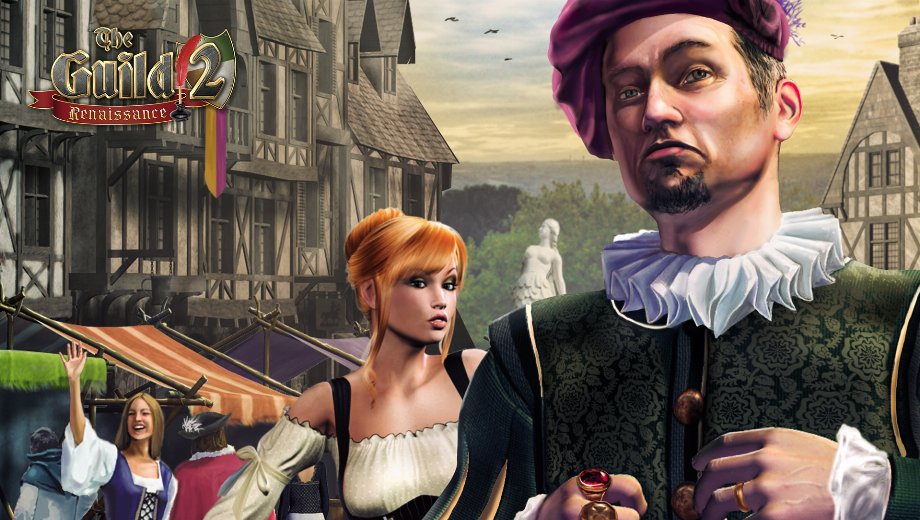
Der Trainer auf einen Blick
- Total Cheats: 22
- Kostenlose Cheats: 1
- Premium Cheats: 21
- Platform: PC – Steam
- Spielmodus: Einzelspieler
- Genre: Simulation, Strategy
- Developer: Runeforge Game Studio
- Publisher: THQ Nordic
- Release Year: 2010
The Guild II: Renaissance drops you into 14th century Europe, where trade is rising and the old grip of church and nobility is starting to loosen. You build a dynasty from nothing, choosing a class like trader, craftsman, scholar, or rogue, then grow your family’s wealth and influence across generations. However, growing a dynasty means juggling talent points, patron favor, and a slow trickle of gold that can take hours to build up naturally.
Because a single character eventually dies of old age, passing control to the next family member, managing experience and stats across a whole bloodline gets complicated fast. The PLITCH trainer for The Guild II Renaissance covers all 22 cheat codes, giving you direct control over your dynasty’s skills, gold, and standing.
Free Cheats for The Guild II: Renaissance
Dieser Cheat ist kostenlos und steht jedem PLITCH-Nutzer zur Verfügung.
- Freeze Time Of Day – Locks the current time of day so you can finish tasks without a day-night shift interrupting you.
PREMIUM Cheats for The Guild II: Renaissance
PREMIUM unlocks the full set of dynasty, economy, and attribute cheats below.
Skills/Experience
- Unlimited Talent XP On Use – Keeps your talent experience gain active every time you use a skill.
- Patron XP (Dynasty Screen) – Adjusts your patron experience directly from the Dynasty Screen.
- Set Patron XP To 0 (Dynasty Screen) – Resets your patron experience to zero if you want a clean baseline.
- Add Talents XP (Dynasty Screen) – Adds experience toward your character’s talent points.
- Set Talents XP To 0 (Dynasty Screen) – Resets talent experience back to zero.
- Set Patron Level (Dynasty Screen) – Sets your patron rank directly instead of earning it through play.
Systems and Character
- Increase Time Of Day – Advances the clock forward when you need to reach a later hour quickly.
- Decrease Time Of Day – Rolls the clock back if you overshoot the hour you wanted.
- Set Year – Sets the in-game year, useful for triggering era-specific events sooner.
Geld/Ressourcen
- Gold hinzufügen – Adds gold to your dynasty’s treasury for buying property and hiring workers.
- Set Gold To 0 – Resets your gold to zero if you want to set a specific starting balance.
Player Attributes (Dynasty Screen)
- Set Constitution – Sets your character’s Constitution stat directly from the Dynasty Screen.
- Geschicklichkeit einstellen – Sets your character’s Dexterity stat for combat and craft skill checks.
- Set Charisma – Sets Charisma, which affects negotiations and political standing.
- Set Martial Arts – Sets your Martial Arts skill for melee encounters.
- Set Handicrafts – Sets your Handicrafts skill, tied to crafting professions.
- Set Stealth – Sets your Stealth stat for rogue-focused characters.
- Set Rhetoric – Sets Rhetoric, useful for scholar and political characters.
- Set Empathy – Sets Empathy, which affects social interactions and family events.
- Set Bargaining – Sets Bargaining, tied to trading and merchant professions.
- Set Arcane – Sets your Arcane stat for characters pursuing mystical pursuits.
How to Use the PLITCH Trainer for The Guild II: Renaissance
- Schritt 1 – Click the green Kostenlos ausprobieren! Klicken Sie auf die Schaltfläche auf dieser Seite, um den PLITCH-Client sicher herunterzuladen.
- Erstellen Sie ein kostenloses oder ein PREMIUM-PLITCH-Konto.
- Open the PLITCH client and search for The Guild II Renaissance.
- Launch The Guild II Renaissance via Steam, then activate your chosen cheats in the PLITCH overlay to control your dynasty’s stats, gold, and experience.
Anmerkung: PLITCH ist ausschließlich für den Einzelspielermodus konzipiert. Einige Antiviren- oder Sicherheitsprogramme melden möglicherweise Trainer als verdächtig, da diese mit dem Spielspeicher interagieren. Daher müssen Sie möglicherweise in Ihrer Sicherheitssoftware eine Ausnahme für PLITCH hinzufügen.

- Secure Software (Virus checked, GDPR-compliant)
- Easy to use: get ready in less than 5 min
- More than 5300+ supported Games
- +1000 Patches every month & Support


![Forza Horizon 6 v1.0.1 (+14 Trainer) [AmazingLuck69]](https://618b31e8.delivery.rocketcdn.me/wp-content/uploads/2026/01/Forza-Horizon-6-01-464x276.jpg)

![Cyberpunk 2077 v1.03-v2.5+ (+46 Trainer) [FLiNG]](https://618b31e8.delivery.rocketcdn.me/wp-content/uploads/2024/01/cyberpunk-2077-v1-03-v1-6x-scr-01_0-464x276.jpg)






Reasons why PC Gamers love PLITCH
 1000+ monthly Patches
 Make your games harder
 World-class Player Support
 100% People Business
 100% secure software
 Available in 11 languages
Unfortunately, the download is no longer available. Here are some alternatives:
- All downloads for this game: Die Gilde 2: Renaissance
- Alternative The Guild 2: Renaissance Trainer: The Guild 2: Renaissance v4.1 (+12 Trainer) [BReWErS]






![Nioh 3 v1.0–v2.0+ (+50 Trainer) [FLiNG]](https://618b31e8.delivery.rocketcdn.me/wp-content/uploads/2025/11/Nioh-3-01-464x276.jpg)


