Beast of Reincarnation: campo de visión personalizado – Mod de cámara central opcional v2.5
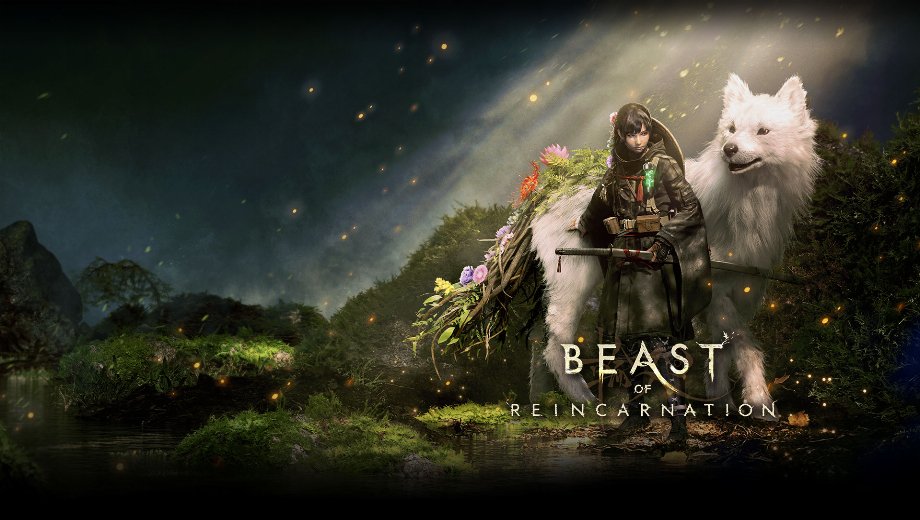
                    Beast of Reincarnation resets any manually entered field of view every time you restart and load a save. This forces you to type console commands over and over. Custom FOV fixes that by applying FOV 100 automatically the moment gameplay loads. Hotkeys let you adjust it further, and the mod restores your original FOV during cutscenes before switching back afterward. As a result, you get a consistently wider view without ever touching the Unreal console again.
Qué incluye
- Automatic FOV 100 on Load: Applies a wider field of view the instant gameplay starts. No manual console commands are needed.
- Live Hotkey Adjustment: F6 decreases FOV, F7 increases it, and F8 resets to default, across a range of 60 to 140.
- Automatic Cutscene Handling: Detects Unreal Engine cinematic mode, switches to the game’s original camera FOV during cutscenes, then returns to FOV 100 once they end.
- Beast Center Camera (Optional): Centers your gameplay camera by default. Press F4 or F5 if you want to nudge that centered view left or right, and F9 toggles the whole effect off to restore your original camera position.
- BeastFOV AimZoom (Optional): Restores the game’s original ranged-weapon zoom while you aim, then switches back to the wider gameplay FOV once you stop.
Por qué necesitas este mod
A narrow default field of view can feel cramped during regular play. However, a permanently wide FOV can throw off aiming and cutscene framing if nothing manages it. This mod solves both problems through automatic detection and hotkey control. Therefore, you get a wider view during normal play, while cutscenes and aiming still look the way they should.
Cómo empezar
- Instale RE-UE4SS experimental-latest specifically, since this mod needs the experimental build rather than the standard release.
- Confirm UE4SS works with Beast of Reincarnation before installing this mod.
- Descargar BeastFOV 2.5, the current main file, and extract it to your PC.
- Copy the BeastFOV folder into BeastOfReincarnation/Binaries/Win64/ue4ss/Mods.
- Check that your folder structure matches Mods/BeastFOV/enabled.txt and Mods/BeastFOV/Scripts/main.lua.
- Start the game and load a save. FOV 100 applies automatically once gameplay loads.
- Descargar BeastCenterCam V1.0 next if you want a centered gameplay camera, and place its folder in the same Mods directory.
- Descargar BeastFOV AimZoom V1.1 only after BeastFOV is installed and working, since AimZoom requires it to function.
- Place the AimZoom folder in the same Mods directory as BeastFOV.
- To edit default settings, open BeastFOV/Scripts/main.lua and change DEFAULT_FOV, FOV_STEP, MIN_FOV, or MAX_FOV.
- To uninstall any of the three mods, remove its folder from your UE4SS Mods directory.
Información útil
Version 2.5 improves cutscene camera detection. It also stops the gameplay FOV from reapplying during certain cinematic transitions. That said, testing remains incomplete. Not enough cutscenes triggered during testing to confirm the fix works in every case, so treat cutscene handling as improved but not fully verified. Cutscene handling relies on the game’s own Unreal Engine cinematic mode, so a cutscene outside that system may still show an incorrect FOV. This mod never patches the executable or edits game files directly.
- File name: BeastofReincarnation_FOV_v2.5
- File name: BeastofReincarnation_CenterCam_v1.0
- File name: BeastofReincarnation_FOV_AimZoom_v1.1

- Secure Software (Virus checked, GDPR-compliant)
- Easy to use: get ready in less than 5 min
- More than 5300+ supported Games
- +1000 Patches every month & Support




![PEAK v2.6 (+28 Trainer) [Sacracia]](https://618b31e8.delivery.rocketcdn.me/wp-content/uploads/2025/07/Peak-1-464x276.jpg)

![Dragon’s Dogma 2 v1.0-v20261008+ (+36 Trainer) [FLiNG]](https://618b31e8.delivery.rocketcdn.me/wp-content/uploads/2026/10/Dragons-Dogma-2-01-scaled.avif)






