Mod «Subnautica 2 Ultimate Engine Tweaks» v2.0
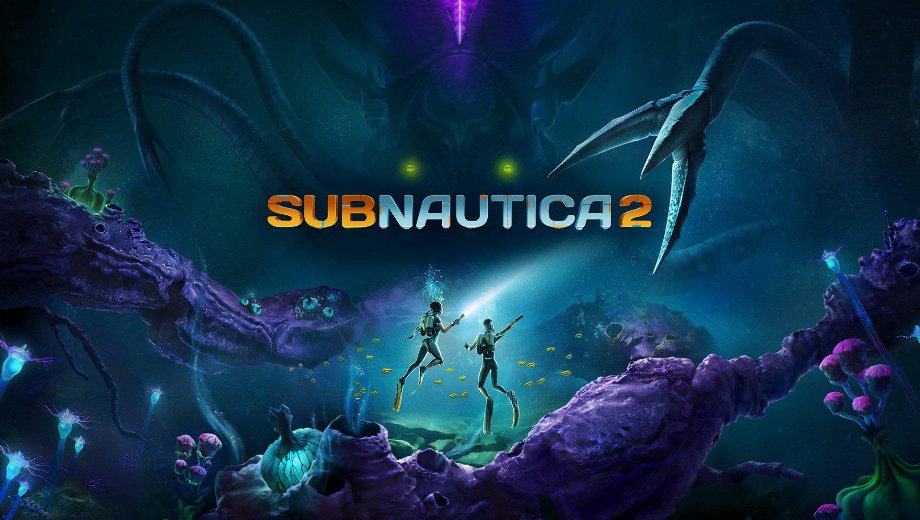
                    Subnautica 2 puede sufrir graves tirones tanto en equipos potentes como en los de prestaciones más modestas, sobre todo cuando la configuración predeterminada del motor no modifica los efectos más exigentes ni el comportamiento de escalado. El Ajustes avanzados del motor El mod sustituye esos valores predeterminados por uno personalizado Motor.ini diseñado para reducir los tirones, mejorar la estabilidad, reducir la latencia de entrada y aumentar la nitidez de la imagen sin provocar pérdida de calidad visual. Además, el mod se ofrece en dos variantes específicas para cada pantalla, por lo que puedes adaptar el archivo a tu configuración de VRR sin tener que ir a ciegas. En consecuencia, el juego se percibe más fluido y con mayor capacidad de respuesta en cuanto se carga el archivo de configuración.
Qué incluye
- Variante VRR para sistemas en los que esté activada la frecuencia de actualización variable.
- Sin variante VRR para sistemas sin frecuencia de actualización variable.
- Mejoras de rendimiento para los cuellos de botella de la CPU, la GPU, la RAM y el SSD.
- Reducción del parpadeo, la latencia de entrada, el efecto fantasma, el parpadeo, la aberración cromática, el grano de la película y el desenfoque de movimiento.
- Configuración optimizada de DLSS, FSR, aumento de resolución y suavizado de bordes.
- Ruta de instalación independiente para la versión para PC de Xbox.
¿Qué variante deberías utilizar?
- VRR: utiliza esta opción si la frecuencia de actualización variable, G-Sync o FreeSync están activadas tanto en la pantalla como en el panel de control de la GPU.
- Sin VRR: utiliza esta opción si VRR, G-Sync o FreeSync están desactivados, ya sea en la pantalla o en el panel de control de la GPU.
Por qué necesitas este mod
Los juegos con UE5 suelen dejar mucho rendimiento sin aprovechar en su configuración predeterminada, y Subnautica 2 no es una excepción. Este mod aborda esos problemas a nivel del motor, en lugar de basarse en los menús del juego, que no permiten alcanzar los mismos ajustes. Además, la configuración basada en archivos facilita cambiar de variante o eliminar por completo los ajustes cuando quieras comparar resultados.
Cómo empezar
- Inicia Subnautica 2 una vez y, a continuación, ciérralo para que el juego cree su carpeta de configuración.
- Descarga el archivo del mod y descomprímelo en tu ordenador.
- Elige el archivo que se ajuste a tu configuración: VRR o Sin VRR.
- Abre la carpeta de configuración estándar del ordenador pulsando Ganar + R, escribiendo:
%localappdata%\Subnautica2\Saved\Config\Windows
y pulsando Intro.
- Para la versión de Xbox para PC, utiliza esta carpeta en su lugar:
%localappdata%\Subnautica2\Saved\Config\WinGDK
- Copia lo seleccionado
Motor.inien la carpeta correcta. - Haga clic con el botón derecho del ratón en
Motor.ini, abrir Propiedades, y comprueba Solo lectura. Haz clic en Solicitar, entonces Vale. - Inicia Subnautica 2. Los ajustes del motor se aplican automáticamente.
- Para desinstalarlo, elimina el archivo modificado
Motor.inide la carpeta «config». El juego utilizará su configuración predeterminada la próxima vez que se inicie.
Información útil
- No utilices este mod junto con otros mods de optimización. Los demás mods que no sean de optimización seguirán funcionando con normalidad.
- Si no estás seguro de si debes utilizar el archivo VRR, comprueba tanto el panel de control de la GPU como la configuración de la pantalla. Si el VRR está activo en ambos, elige la variante VRR.
- El indicador «Solo lectura» es importante. Si no lo activas, Subnautica 2 puede sobrescribir el archivo y eliminar los ajustes la próxima vez que se inicie el juego.
- La versión para PC de Xbox utiliza
WinGDKen lugar del estándarWindowscarpeta «config».
- File name: Subnautica2_UltimateUnrealEngine_VRR_v2.0
- File name: Subnautica2_UltimateUnrealEngine_NoVRR_v2.0

- Secure Software (Virus checked, GDPR-compliant)
- Easy to use: get ready in less than 5 min
- More than 5300+ supported Games
- +1000 Patches every month & Support




![Prey v10966486 (+8 Trainer) [-Al-ex-]](https://618b31e8.delivery.rocketcdn.me/wp-content/uploads/2026/10/Prey-01-464x276.jpg)

![Planet Zoo 2 v1.0.x+ (+13 Trainer) [FLiNG]](https://618b31e8.delivery.rocketcdn.me/wp-content/uploads/2026/10/Planet-Zoo-2-01-464x276.jpg)