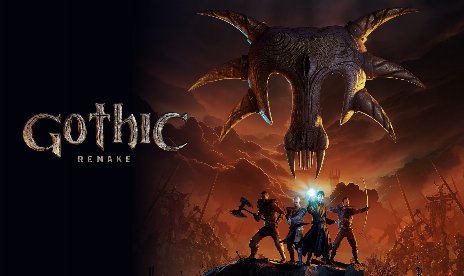
Mod « Simple Item Scanner » pour le remake de Gothic 1, version 1.0.12

                    Gothic 1 Remake ne propose aucun moyen intégré de balayer rapidement la zone à la recherche de butin, de cadavres et de coffres sans devoir s'approcher de chacun d'entre eux. Le Scanner d'articles simple Ce mod vous permet, d'une simple touche, de mettre temporairement en surbrillance tous les objets ramassables, cadavres et coffres à proximité, en utilisant le système de contour propre au jeu. De plus, le balayage est manuel et s'effectue à la demande plutôt que d'être toujours actif ; il reste donc léger et n'affecte pas les performances lorsque vous ne l'utilisez pas. Par conséquent, nettoyer une pièce après un combat ou vérifier un camp à la recherche d'un butin manqué ne prend que quelques secondes, au lieu d'une fouille complète.
Ce qui est inclus
- La fonction de lecture des articles à la demande s'active ou se désactive en appuyant sur X par défaut.
- Met en évidence le butin, les cadavres et les coffres situés à proximité, dans un rayon configurable (25 m par défaut).
- Durée de mise en évidence, épaisseur du contour, opacité et couleur configurables.
- Mémorisation facultative des coffres déjà ouverts afin de pouvoir les ignorer lors des analyses suivantes.
- Des balayages répétés réinitialisent le compte à rebours des cibles déjà mises en surbrillance.
Pourquoi vous avez besoin de ce module
Ce mod est utile si vous passez régulièrement du temps, après avoir terminé un combat, à chercher les objets que vous auriez pu manquer dans la cohue. Il permet également d’accélérer le pillage des grottes et des donjons sans pour autant transformer cette fonctionnalité en une superposition permanente qui enlèverait tout le suspense de l’exploration. De plus, l’option de mémorisation des coffres est utile pour les parties plus longues, lorsque vous souhaitez éviter de scanner à plusieurs reprises des conteneurs que vous avez déjà vidés.
Comment démarrer
- Téléchargez l'archive du mod et décompressez-la sur votre PC.
- Installer UE4SS pour le remake de Gothic 1, si ce n'est pas déjà fait.
- Copier le SimpleItemScan dossier dans votre répertoire « UE4SS Mods », de sorte que les fichiers Lua se trouvent à l'emplacement suivant :
Mods\SimpleItemScan\Scripts\
- Lancez le jeu avec UE4SS activé.
- Ouvrez les paramètres du jeu et activez Accessibilité > Arborescence des objets. C'est indispensable pour que le système de mise en évidence fonctionne.
- Presse X pour lancer une analyse. Les objets, cadavres et coffres situés à proximité s'affichent en surbrillance pendant la durée définie.
- Pour configurer la touche de balayage, le rayon, la durée, le style du contour ou la mémoire thoracique, modifiez
Scripts\config.luadans le dossier « mod » et redémarrez le jeu. - Pour désinstaller le programme, supprimez le fichier SimpleItemScan dossier situé dans le répertoire « Mods ».
Bon à savoir
- Exigences UE4SS et le jeu’s Accessibilité > Arborescence des objets paramètre à activer. Le mod transmet les cibles au système de structure existant au lieu de dessiner ses propres marqueurs.
- La fonctionnalité « Mémoire du coffre » est considérée comme expérimentale. Si vous jouez avec plusieurs sauvegardes ou profils, modifiez le fichier
nom de l'emplacement de mémoire du coffreune valeur dans la configuration pour chacun d'entre eux afin de les suivre séparément.
- File name: G1R_SimpleItemScanner_v1.0.12

- Secure Software (Virus checked, GDPR-compliant)
- Easy to use: get ready in less than 5 min
- More than 5300+ supported Games
- +1000 Patches every month & Support




![Wild West Supermarket Simulator v1.0.682a (+4 Trainer) [RazorDOX]](https://618b31e8.delivery.rocketcdn.me/wp-content/uploads/2026/10/Wild-West-Supermarket-Simulator-01-464x276.jpg)

![Eastern Era v1.0-v1.1.x+ (+63 Trainer) [FLiNG]](https://618b31e8.delivery.rocketcdn.me/wp-content/uploads/2026/06/Eastern-Era-01-464x276.jpg)