Lost Castle 2 v1.0+ (+33 Trainer)
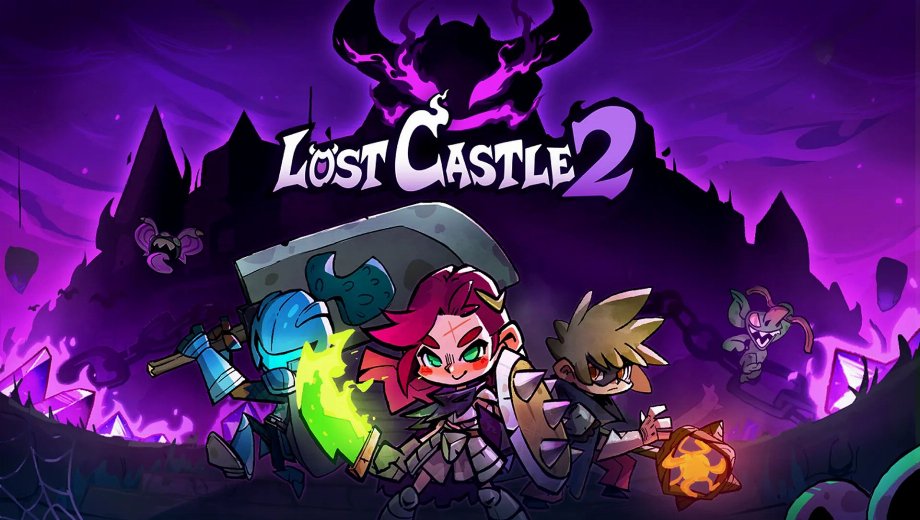
                    Château perdu 2 throws you and up to two friends into a brutal side-scrolling roguelite, where random gear drops and unforgiving bosses punish every mistake. Grinding for Soul Crystals, Iron Ingots, and rare weapons takes hours, and losing a run to a single bad hit gets old fast. This trainer strips away that grind entirely.
FLiNG built this trainer with 33 options, covering everything from God Mode to per-weapon buffs. It supports Lost Castle 2 version v1.0+ and was last updated on July 28, 2026, so it lines up with the game’s full 1.0 release. Developer and publisher Hunter Studio designed the game for solo or three-player co-op, and the trainer works the same way in either mode.

The Full Arsenal
These 33 options split into five groups: core survival tools, speed and pacing controls, raw damage settings, weapon-specific buffs, and currency editors. Each group targets a different part of the grind, so you can pick exactly what you want to change.
Combat & Survival Options
- Num 1 (Mode Dieu/Ignore Hits) : Blocks all incoming damage so bosses and enemy swarms can no longer kill you.
- Num 2 (Infinite HP): Locks your health bar at full, removing the need to farm healing items.
- Num 3 (Infinite MP): Keeps your mana pool full for unlimited skill casts.
- Num 4 (Skills Instant Cooldown): Resets ability cooldowns instantly, so you can spam skills every hit.
- Num 5 (Max Combo): Pushes your combo counter to its highest value for bonus effects.
- Num 6 (Max Critical Chance): Règle votre chance de coup critique à 100 %.
Speed & Difficulty Options
- Num 7 (Set Game Speed): Lets you slow down or speed up the entire game, useful for tight platforming or farming runs.
- Num 8 (Set Movement Speed): Adjusts your character’s movement speed beyond the normal limit.
- Num 9 (Set Jump Height): Changes how high you jump, which helps you reach hidden treasure rooms.
Damage Options
- N° 0 (Dégâts extrêmes / Mort en un coup) : Turns every attack into a one-hit kill against regular enemies.
- Nb. (Multiplicateur de dégâts) : Sets a custom multiplier on the damage you deal.
- Num + (multiplicateur de défense) : Sets a custom multiplier on the damage you take, letting you fine-tune difficulty instead of going fully invincible.
Weapon-Specific Options
Every weapon type in Lost Castle 2 has its own resource or mechanic, and this group covers each one individually.
- Alt+Num 1 (Single-handed Weapon: Infinite Block Points): Keeps your block meter full for endless parries with one-handed weapons.
- Alt+Num 2 (Two-handed Weapon: Instant Charge): Fully charges heavy attacks the instant you start winding up.
- Alt+Num 3 (Turbo Lance: Max Pressure): Maxes out the lance’s pressure gauge for its strongest attacks on demand.
- Alt+Num 4 (Staff: Infinite Magic Energy): Removes the energy cost for staff-based spells.
- Alt+Num 5 (Bow: Max Concentration): Fills the bow’s concentration gauge instantly for charged shots.
- Alt+Num 6 (Dual Blades: Max Combo Accumulation): Maxes out the dual blades’ combo meter right away.
- Alt+Num 7 (Musket: Infinite Ammo): Stops the musket from ever running dry.
- Alt+Num 8 (Musket: Max Heat): Pushes the musket’s heat gauge to maximum for its strongest shots.
- Alt+Num 9 (Phantom Lantern: Infinite Health): Keeps the Phantom Lantern weapon’s health resource topped off.
- Alt+Num 0 (Phantom Lantern: Infinite Energy): Removes the energy cost tied to Phantom Lantern abilities.
- Alt+Num . (Katana: Max Focus Gauge): Fills the katana’s focus gauge for its most powerful strikes.
Currency & Crafting Options
The last group covers every resource you collect while exploring the castle, plus multipliers to scale your pickups.
- Ctrl+Num 1 (Edit Gold Coin): Sets your Gold Coin total to any value you choose.
- Ctrl+Num 2 (Edit Soul Crystal Fragments): Sets your Soul Crystal Fragment count directly.
- Ctrl+Num 3 (Edit Iron Ingots): Sets your Iron Ingot total for crafting and upgrades.
- Ctrl+Num 4 (Edit Ethereal’s Coin): Sets your Ethereal’s Coin total for special purchases.
- Ctrl+Num 5 (Edit Black Ores): Sets your Black Ore count for high-tier crafting.
- Ctrl+Num 6 (Edit Soul Flowers): Sets your Soul Flower total directly.
- Ctrl+Num 7 (Gold Coin Multiplier): Multiplies every Gold Coin pickup by your chosen amount.
- Ctrl+Num 8 (Soul Crystal Fragment Multiplier): Multiplies Soul Crystal Fragment pickups instead of editing the total directly.
- Ctrl+Num 9 (Iron Ingot Multiplier): Multiplies Iron Ingot pickups for faster crafting.
- Ctrl+Num 0 (Ethereal’s Coin Multiplier): Multiplies Ethereal’s Coin pickups on collection.
Consignes et conseils importants pour les formateurs
Follow these steps so every option activates correctly.
- Supported version: Lost Castle 2 v1.0+ (updated July 28, 2026).
- Launch order: either order works, so start the trainer or the game first.
- If numpad hotkeys don’t respond, check that Num Lock is turned on.
- Some multiplier and editor options only take effect once you’ve already picked up at least one of that resource.
Ce simulateur est destiné exclusivement à une utilisation en solo.

- Secure Software (Virus checked, GDPR-compliant)
- Easy to use: get ready in less than 5 min
- More than 5300+ supported Games
- +1000 Patches every month & Support




![Pass the Fear v1.0.x+ (+27 Trainer) [FLiNG]](https://618b31e8.delivery.rocketcdn.me/wp-content/uploads/2026/10/Pass-the-Fear-01-464x276.jpg)

![Enshrouded v1.0+ (+22 Trainer) [FLiNG]](https://618b31e8.delivery.rocketcdn.me/wp-content/uploads/2025/11/Enshrouded-02-464x276.jpg)







Trainers are memory resident programs that alter the behavior of a game.
Your antivirus software and web browser may detect them as malware (viruses, worms, trojans, bots etc.).
This is almost always a false alarm.
- File name: Lost.Castle.2.v1.0.Plus.33.Trainer-FLiNG





![Nioh 3 v1.0-v2.0+ (+50 Trainer) [FLiNG]](https://618b31e8.delivery.rocketcdn.me/wp-content/uploads/2025/11/Nioh-3-01-464x276.jpg)


