Do you need a gaming mouse? Five reasons you do
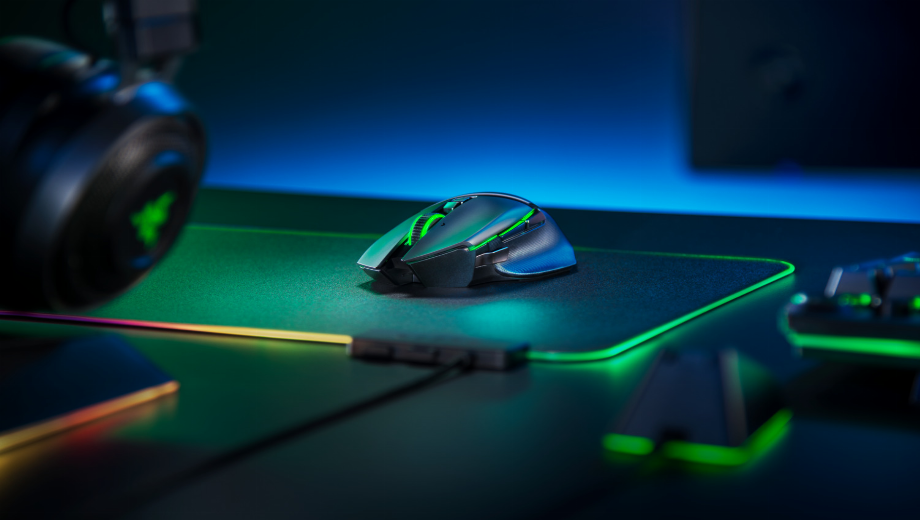
The mouse isn’t the flashiest element of any PC or laptop, but it is one of the most vital. It’s required in a desktop PC, and while laptops can get away with a trackpad, for most games, you’re going to want a proper mouse. But as every gamer knows, not just any mouse will do. A good gaming mouse is a mainstay of the best setups, but why is that? What makes a gaming mouse such a required buy, and what should you keep an eye out for? Here’s why you need a gaming mouse, whether for gaming or casual use.
Comfort
Whether you’re using a computer for eight hours of work a day, or gaming marathons that end at 3am the next day, you’re going to be using your mouse a lot. Therefore, it’s extremely important that your mouse is comfortable.
As you might expect, gaming mice are built with long term comfort in mind. Companies are aware that gamers are often in it for the long haul, and design their mice with that in mind. Expect gently sloping surfaces that your hand fits around comfortably, softer materials in those areas with constant contact, and sections that support your thumb or fingers when resting on the mouse. Some gaming mice even offer ambidextrous support, so you can swap between left and right if you like, or you can buy a mouse tuned around a specific hand for a close fit.
Traditional mice, on the other hand, tend to be flatter. The stereotypical traditional mouse lacks the gentle swoops and curves that make gaming mice so nice to hold, and while they’ve gotten better, they’re still nowhere near gaming mice. These additions are important to avoiding strain over time, and make a gaming mouse a must, even if you’re not that much of a gamer.
Durability
This is somewhat tied into the comfort point above, but it’s important enough to highlight by itself. On average, a gaming mouse is going to last longer than a traditional mouse.
Alright, price ties into this a lot. Gaming mice tend to be more expensive than traditional mice, which means more budget for better materials, higher build quality, nicer paint, and all that. But it’s not just that. The plastic used in gaming mice tends to resist sweat and fingerprints better, as, well, high intensity gaming sessions can get a bit sweaty.
You tend to get better internal components as well, which means your mouse will last longer than most traditional mice.
Better responsiveness and accuracy
This isn’t much of a surprise, because responsiveness is always a strong focus of any gaming-focused technology — but a gaming mouse is going to be faster and more accurate than a traditional mouse.
Key to this is polling rate. The “polling rate” of a mouse is how often your mouse and computer update your cursor position. This is a less important stat if you spend your computer time updating Excel spreadsheets, scrolling social media, or watching videos — but it becomes extremely important when you’re blasting your way through the enemy team in Call of Duty Warzone, or quickly flicking between units in Starcraft 2.
As such, while traditional mice may have a polling rate of 125Hz (checking with your computer 125 times a second, or every 8 milliseconds), gaming mice can have a polling rate of 1000Hz, which means it checks every millisecond. This difference makes a big difference, and is a real reason for gamers to invest in a gaming mouse.
The sensor also makes a difference. Laser sensors are often used in traditional mice, and while these sensors work on more surfaces than optical sensors, they’re prone to losing accuracy when moving fast. And as every gamer knows, when you’re moving fast is exactly when you need your accuracy. As a result, the optical sensors used in most gaming mice are superior where gaming is concerned.
Extra buttons, macro options, and different grips
This is a fairly straightforward section, and another area that benefits gamers more than casual users. Gaming mice aren’t exactly shy when it comes to adding extra buttons. There are few gaming mice which don’t have any additional buttons, most usually found around the side, where the thumb rests. These buttons are often programmable, so you can assign them to macros, or just assign them to specific abilities or controls in your favorite games.
In addition, there’s an even more niche option available with many gaming mice; support for different grip styles. You’re probably most familiar with the palm grip method of holding a mouse, where the whole hand rests on the mouse, but did you know there are two more methods too?
The claw grip is beloved by competitive gamers, as it allows for extra precision while clicking, and has the fingers curled back from the palm grip. Lastly, there’s the fingertip grip, where the hand is elevated, with only the fingertips touching the mouse. This gives the most control, but has the downside of being more tiring. Different gaming mice will suit different types of grip, and if you’re a claw or fingertip user, then you’re going to want a mouse that suits you.
Software support
The last point to consider is something of a big one, even though it doesn’t initially seem like it: Software support.
It goes without saying that traditional mice don’t have software support. They’re plug-and-play, put them in and they work. In a way, that’s an advantage, because it means users aren’t swamped with options they don’t want or need.
But on a gaming mouse? Oh, you absolutely want and need those options. Many of the above advantages are tied into each mouse’s software, from adjusting DPI (mouse speed), controlling RGB lighting, and even handling software updates for your mouse.


![Block Story (+7 Trainer) [Mafioznik]](https://618b31e8.delivery.rocketcdn.me/wp-content/uploads/2026/10/Block-Story-01-464x276.jpg)

![Star Wars: Galactic Racer v1.0+ (+14 Trainer) [FLiNG]](https://618b31e8.delivery.rocketcdn.me/wp-content/uploads/2026/10/STAR-WARS-Galactic-Racer-01-464x276.jpg)