Palworld Automatically Skip Mod Caution Mod v1.0
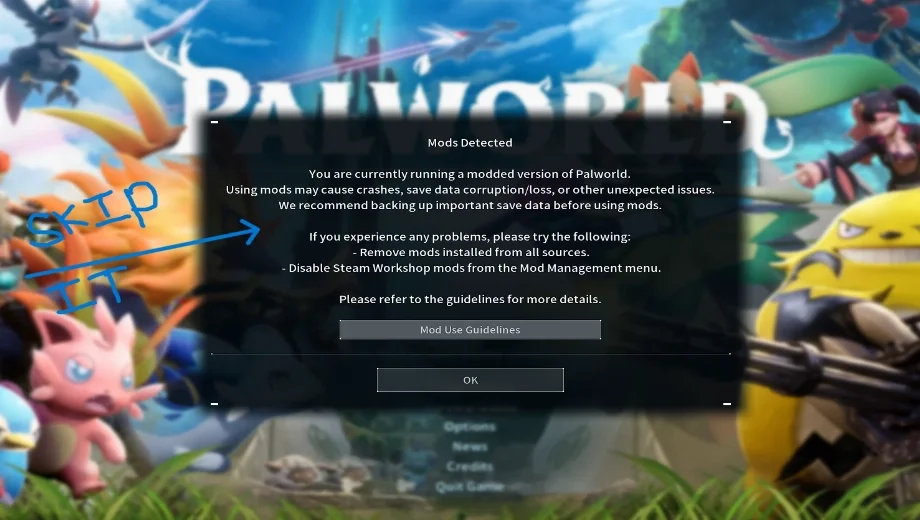
Palworld forces a caution dialog every time mods are enabled, and it demands a manual click before you can even reach the title screen. Automatically Skip Mod Caution removes that interruption, letting the game boot straight past the warning. It runs as a lightweight UE4SS script, dropped directly into your Mods folder alongside your other UE4SS mods. As a result, launching a modded save stops requiring an extra click every single time.
What’s Included
Automatic Caution Skip: Bypasses the mod warning dialog entirely, so the game boots straight through without requiring a manual OK click.
Why You Need This Mod
A repeated warning dialog adds friction to something that should be instant. Additionally, it appears every time mods are active, not just once. This mod removes that step for good. Therefore, launching Palworld with mods enabled feels exactly like launching it without any.
How to Get Started
- Download the mod and extract the archive to your PC.
- Install UE4SS for Palworld first if you haven’t already.
- Locate your Palworld installation directory.
- Drop the AutomaticallySkipModCaution folder into Pal/Binaries/Win64/ue4ss/Mods.
- Confirm that enabled.txt is present inside the mod folder, since it should be included by default.
- To uninstall, remove the AutomaticallySkipModCaution folder from your UE4SS Mods directory.
- File name: Palworld_AutomaticallySkipModCaution_v1.0

- Secure Software (Virus checked, GDPR-compliant)
- Easy to use: get ready in less than 5 min
- More than 5300+ supported Games
- +1000 Patches every month & Support


![Moadra v1.0 (+6 Trainer) [RazorDOX]](https://618b31e8.delivery.rocketcdn.me/wp-content/uploads/2026/10/Moadra-01-464x276.jpg)

![Dying Light 2 Stay Human v1.0-v1.3x+ (+33 Trainer) [FLiNG]](https://618b31e8.delivery.rocketcdn.me/wp-content/uploads/2024/03/dying-light-2_0-464x276.jpg)