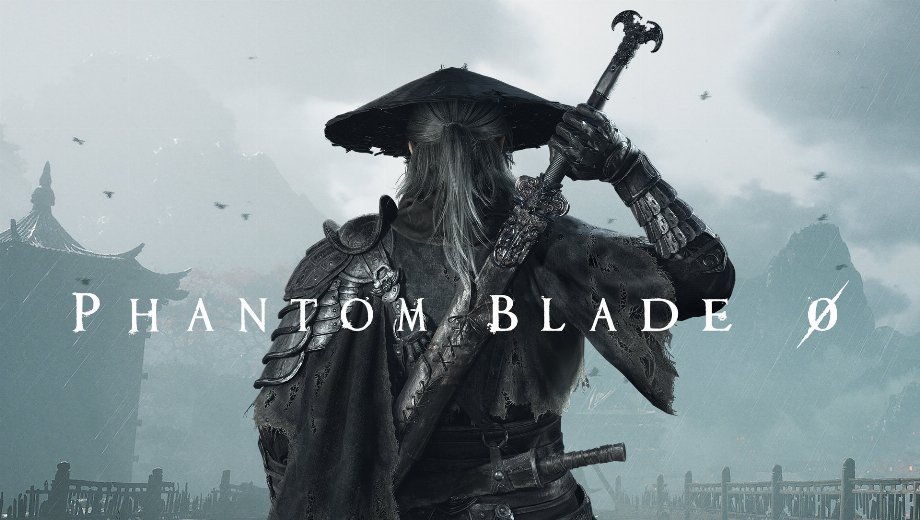
Phantom Blade Zero Stutter Fixes Mod v1.1.2
November 17, 2026 - 8:25am
                    This mod removes the worst freezes in Phantom Blade Zero, and the numbers back it up. In testing, a 200 ms freeze during a five-enemy fight dropped to about 26 ms. The Stutter Fixes mod runs through UE4SS and sets engine options the way the game does. Since it leaves the game’s own files unchanged, it stays easy to remove. As a result, parries and area loads feel steadier.
What It Fixes
- PBZ Stutter Fixes: Packs a 72KB archive with one PBZStutterFixes folder, so a single extraction finishes the job.
- Ray Tracing Stall Fix: Keeps the old pipeline running while a new one builds, so new areas drop from 110-132 ms to 18-44 ms.
- Frame Generation Freeze Fix: Keeps Frame Generation resources alive in fights, so the worst frame falls from 200-208 ms to 26-27 ms.
- Reflex Fix: Keeps Reflex on after the game enables it, so latency stays near 30 ms, not 49-51 ms.
- Faster Loading: Answers repeat display queries from memory, so that load step drops from 165 ms to 10 ms.
- Menu and Autosave Smoothing: Uses gentler menu cleanup, so closing menus peaks at 15-16 ms instead of 20-22 ms.
- Ini Settings and Log: Lets you switch every fix off in PBZStutterFixes.ini, while PBZStutterFixes.log lists every frame over 40 ms.
Why It’s Worth Installing
The numbers above come from in-game runs on one route, fight, or menu. As a result, none of the fixes is guesswork. The Frame Generation and Reflex fixes need NVIDIA DLSS Frame Generation. Likewise, the ray tracing fix needs ray tracing on. Players without those features will see smaller gains.
Getting It Running
- Download the mod and extract the archive to your PC.
- Install UE4SS for Phantom Blade Zero first, then confirm it works before you continue.
- Add the UE4SS Patch Fix if your UE4SS.log says it can’t find GNatives or GUObjectArray.
- If you also run Ultra+, pick one ray tracing fix, since nobody has tested the two together.
- Copy the archive’s contents into the game folder that contains platform, such as C:\Program Files (x86)\Steam\steamapps\common\PBZ.
- Check that PBZ\platform\steam\ue4ss\Mods\PBZStutterFixes\enabled.txt exists.
- To change settings, open PBZStutterFixes.ini in a text editor, then restart the game, since changes apply on the next start.
- To uninstall, delete the PBZ\platform\steam\ue4ss\Mods\PBZStutterFixes folder. Your saves stay as they are.
Worth Knowing
- The mod targets the Steam version, and it ran on an RTX 4090 with ray tracing and DLSS during testing.
- If a game update breaks the mod’s hooks, the log says so, and your settings stay alone.
- If your game never turns Reflex on, the mod leaves it off.
- Reflex Unlocked does the same job as the Reflex fix, so running both is harmless but unnecessary.
- AMD and Intel GPUs remain untested, although the Frame Generation and Reflex fixes only apply to NVIDIA anyway.
- This mod includes AI-generated content and AI-generated media.
Download
File information
November 17, 2026 - 8:25am
- File name: PhantomBladeZero_StutterFixes_v1.1.2
Game is supported by PLITCH

PLITCH - Free & Premium Game Trainer
- Secure Software (Virus checked, GDPR-compliant)
- Easy to use: get ready in less than 5 min
- More than 5300+ supported Games
- +1000 Patches every month & Support

The Hardcore Gaming Experience
Pioneering in offering game trainers and other hardcore gamer-centric content.
LATEST UPDATES



The Hardcore Gaming Experience
Pioneering in offering game trainers and other hardcore gamer-centric content.


