PLITCH Trainer for Walking Zombie 2

Trainer at a Glance
- Total Cheats: 17
- Free Cheats: 17
- Platform: PC (Steam)
- Game Mode: Single-player
- Genre: Free Cheats, Adventure, Indie
- Developer: Alda Games
- Publisher: Alda Games
- Release Year: 2019
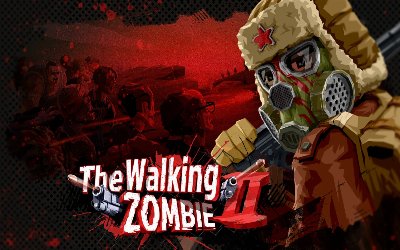
A zombie apocalypse has turned a polygon-style world hostile, and a karma system watches how you treat the people in it. Alda Games built Walking Zombie 2 as a free-to-play first-person shooter with RPG elements, where bandits and other monsters threaten you almost as much as the undead.
You hunt for weapons and equipment, play mini-games, and work through main and side quests. Silver and gold gate many purchases, but ammo runs low when a crowd closes in. The PLITCH trainer for Walking Zombie 2 offers 17 cheats, and all of them are free.
Free Cheats for Walking Zombie 2
Because ammo, health, speed, and enemy behavior each get a switch, most cheats come as ON and OFF pairs.
Money/Resources
- Ignore Silver/Gold Requirements On Buy: ON: Lets you buy gear without paying the silver or gold price, especially when your purse is thin.
- Ignore Silver/Gold Requirements On Buy: OFF: Restores the normal price checks, because shops should matter again.
Weapons
- Unlimited Ammo/ No Reload: ON: Keeps every magazine full and skips reloading during a zombie rush.
- Unlimited Ammo/ No Reload: OFF: Switches ammo and reload rules back before a scarcity run.
- No recoil: Holds your aim steady while the zombies close in.
Health/Energy
- Like A Boss: ON: Turns on PLITCH’s Like A Boss option, which sits with the health cheats.
- Like A Boss: OFF: Turns Like A Boss off again.
- Godmode: ON: Makes you invincible against zombies and bandits, even if a raid goes wrong.
- Godmode: OFF: Ends the invincibility, so fights carry real risk again.
AI
- Freeze AI: ON: Freezes AI-controlled characters until you finish looting or lining up a shot.
- Freeze AI: OFF: Releases the AI again once the coast is clear.
Player positions
- Run-speed: increase: Speeds up your sprint, since a faster run can outpace a zombie pack.
- Run-speed: decrease: Slows your sprint instead, for a tense, hard playthrough.
- Run-speed: normal: Returns running to its default speed after any experiment.
Player general
- Movement-speed: increase: Quickens walking and general movement before a long trek across the map.
- Movement-speed: decrease: Slows general movement for a cautious survival run.
- Movement-speed: normal: Resets walking speed to the game’s default.
How to Use the PLITCH Trainer for Walking Zombie 2
- Step 1 Click the green “Try It for free!” button on this page to download the PLITCH client securely.
- Step 2 Create a free PLITCH account, no PREMIUM subscription needed for this trainer.
- Step 3 Open the PLITCH client and search for Walking Zombie 2.
- Step 4 Launch Walking Zombie 2 via Steam, then activate your chosen cheats in the PLITCH overlay to loot a bandit camp while its guards stand frozen.
Note: PLITCH is designed for single-player use only. Some antivirus or security tools may flag trainers because they interact with game memory, so you may need to add an exception for PLITCH in your security software.

- Secure Software (Virus checked, GDPR-compliant)
- Easy to use: get ready in less than 5 min
- More than 5300+ supported Games
- +1000 Patches every month & Support




![Eastern Era v1.0-v1.1.x+ (+63 Trainer) [FLiNG]](https://618b31e8.delivery.rocketcdn.me/wp-content/uploads/2026/06/Eastern-Era-01-464x276.jpg)






Reasons why PC Gamers love PLITCH
 1000+ monthly Patches
 Make your games harder
 World-class Player Support
 100% People Business
 100% secure software
 Available in 11 languages
Unfortunately, the download is no longer available. Here are some alternatives:
- All downloads for this game: Walking Zombie 2
- Alternative Walking Zombie 2 Trainer: Walking Zombie 2 v20201102 (+6 Trainer) [RUSAKAKSU]




![Nioh 3 v1.0-v2.0+ (+50 Trainer) [FLiNG]](https://618b31e8.delivery.rocketcdn.me/wp-content/uploads/2025/11/Nioh-3-01-464x276.jpg)


