My Winter Car Immersive Taxi Map Mod v1.1.0
January 15, 2026 - 8:45am
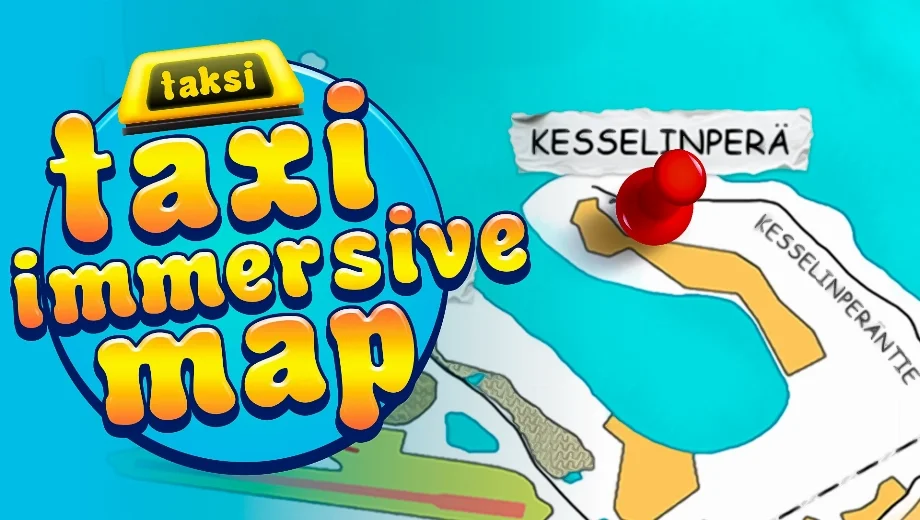
                    The Immersive Taxi Map mod transforms the in-car sun visor map into a practical, real-time navigation tool for taxi work in My Winter Car. Instead of guessing where passengers wait or where they need to go, this mod places a clear 3D pin that updates automatically as your job progresses. Consequently, taxi runs feel more immersive and easier to follow while maintaining the game’s authentic challenge. Additionally, the mod includes a custom map texture and an optional player-location marker for improved orientation.
Key Features
- Dynamic 3D Pin: A red thumbtack appears on the visor map when you accept a taxi order, showing exactly where to find your passenger.
- Auto-Updating Destination: After pickup, the pin automatically moves to the drop-off point, so you always know your next objective.
- Custom Map Texture: The mod ships with a new taxi-map texture. You can remove or replace it if you prefer the vanilla look.
- Optional Player Marker: A blue pin can display your current location, though it is disabled by default to preserve difficulty.
- Performance Friendly: The mod runs efficiently without impacting framerates.
How It Works
- First, get into the taxi (Machtwagen) and turn on the taximeter to go on duty.
- Next, answer the phone to receive a job. The red pin will then appear showing the pickup location.
- After the client enters your taxi, the pin switches automatically to show the destination point.
Configuration Tips
- Enable Player Marker (BepInEx): Open
BepInEx/config/com.fanteeek.immersivetaximap.cfgand changeShowPlayerMarkerfromfalsetotrue. - Enable Player Marker (MelonLoader): Open
UserData/ImmersiveTaxiMap.cfgand changeShowPlayerMarkerfromfalsetotrue. - Custom Map Texture: If you want the vanilla map, simply delete
map.pngor replace it with your own texture. However, keep roads and buildings aligned with the vanilla layout for accurate marker positioning.
How to Install
This mod supports both BepInEx and MelonLoader. Choose the option that matches your current mod loader.
BepInEx Installation:
- First, install BepInEx and run the game once to generate the necessary folders.
- Download the Immersive Taxi Map mod file.
- Extract the mod archive into your game folder while keeping the folder structure intact.
- Verify these paths exist:
BepInEx/plugins/ImmersiveTaxiMap.dllandBepInEx/plugins/ImmersiveTaxiMap/map.png. - Finally, launch the game. If it fails to start, open
BepInEx/config/BepInEx.cfgand changeType = ApplicationtoType = MonoBehaviour.
MelonLoader Installation:
- First, install MelonLoader and run the game once to generate the necessary folders.
- Download the Immersive Taxi Map mod file.
- Extract the mod archive into your game folder while keeping the folder structure intact.
- Verify these paths exist:
Mods/ImmersiveTaxiMap.dllandMods/ImmersiveTaxiMap/map.png. - Finally, launch the game and start your taxi business!
Download
File information
January 15, 2026 - 8:45am
- File name: MyWinterCar_ImmersiveTaxiMap_MelonLoader_v1.1.0
- File name: MyWinterCar_ImmersiveTaxiMap_BepInEx_v1.1.0
Game is supported by PLITCH

PLITCH - Free & Premium Game Trainer
- Secure Software (Virus checked, GDPR-compliant)
- Easy to use: get ready in less than 5 min
- More than 5300+ supported Games
- +1000 Patches every month & Support

The Hardcore Gaming Experience
Pioneering in offering game trainers and other hardcore gamer-centric content.
LATEST UPDATES



![Wild West Supermarket Simulator v1.0.682a (+4 Trainer) [RazorDOX]](https://618b31e8.delivery.rocketcdn.me/wp-content/uploads/2026/10/Wild-West-Supermarket-Simulator-01-464x276.jpg)

![Eastern Era v1.0-v1.1.x+ (+63 Trainer) [FLiNG]](https://618b31e8.delivery.rocketcdn.me/wp-content/uploads/2026/06/Eastern-Era-01-464x276.jpg)




The Hardcore Gaming Experience
Pioneering in offering game trainers and other hardcore gamer-centric content.





