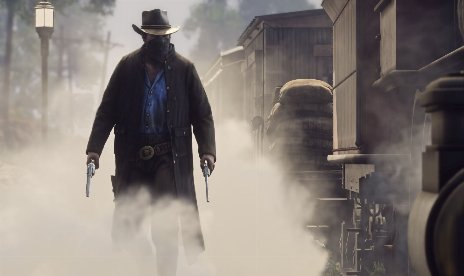
Red Dead Redemption 2 Online Content Unlocker Mod v1.1

November 24, 2026 - 8:25am
                    Red Dead Online has outfits, horses, and weapons that story mode never hands you. The Online Content Unlocker mod loads 53 online change sets into the story, so those items finally appear. It runs as one small ASI plugin with an INI file, and any ASI loader will start it. As a result, trainers, spawners, and clothing mods can reach online content.
What You Get
- Sir Joseph’s Online Content Unlocker: Packs an 18KB archive with SirJosephsOnlineContentUnlocker.asi and SirJosephsOnlineContentUnlocker.ini, so setup needs only two files.
- Online Content in Story Mode: Unlocks 53 online change sets. They cover ped and outfit data, animations, props, the map, weapons, and vehicles.
- Pick What to Unlock: Gives animations, props, weapons, and clothing with horses their own on/off lines in the INI.
- Stock Story Missions: Keeps online scripts and animation overlays off, so missions run normally and nothing replaces your game data.
- Audio Fixes: Lets the Navy revolver sound play beside the swamp crickets. Alligators also stay audible with the elephant rifle and improved bow.
- Online Cutscenes: Plays most online cutscenes, though this experimental part leaves some without props or walls.
Is It Worth It?
You get the full online wardrobe, and the story keeps running as it should. The trade-off is that online cutscenes stay experimental, and some online female animations may still be missing. If anything misbehaves, the log file helps you find the cause.
Setting It Up
- Download the mod and extract the archive to your PC.
- Install Ultimate ASI Loader if you don’t have it, then add ScriptHook RDR2 V2 or ScriptHook RDR2 AB.
- Remove any other online unlocker before you copy anything. That means the LML Online Content Unlocker data mod, LITE, Better LITE, and any unlocker version.dll. Two unlockers together cause crashes.
- Copy SirJosephsOnlineContentUnlocker.asi and SirJosephsOnlineContentUnlocker.ini into your game folder, next to RDR2.exe.
- Start the game.
- To change a setting, open the INI file and set a line to 1 for on or 0 for off. Restart the game afterward.
- To uninstall, delete the two files you copied next to RDR2.exe, plus the log file the plugin wrote there.
Heads Up
- Set OnlineCutscenes to 0 if the experimental cutscenes cause trouble.
- Turn Animations off if story animations such as ladders look too fast, though online cutscenes may need it on.
- The plugin leaves one online weapon wheel set alone when you install Munitions.asi, so ammo stays correct and buyable.
- Mods that ship their own content.xml decide for themselves which online sets exist. Munitions, Catalogue Improvements, and Enhanced Jail N’ Arrest do this, so the plugin cannot merge them.
- The plugin rewrites SirJosephsOnlineContentUnlocker.log on every launch, so copy it before you start the game again.
Download
File information
November 24, 2026 - 8:25am
- File name: RedDeadRedemption2_OnlineContentUnlocker_v1.1
Game is supported by PLITCH

PLITCH - Free & Premium Game Trainer
- Secure Software (Virus checked, GDPR-compliant)
- Easy to use: get ready in less than 5 min
- More than 5300+ supported Games
- +1000 Patches every month & Support

The Hardcore Gaming Experience
Pioneering in offering game trainers and other hardcore gamer-centric content.
LATEST UPDATES






The Hardcore Gaming Experience
Pioneering in offering game trainers and other hardcore gamer-centric content.