Command And Conquer: Tiberian Dawn
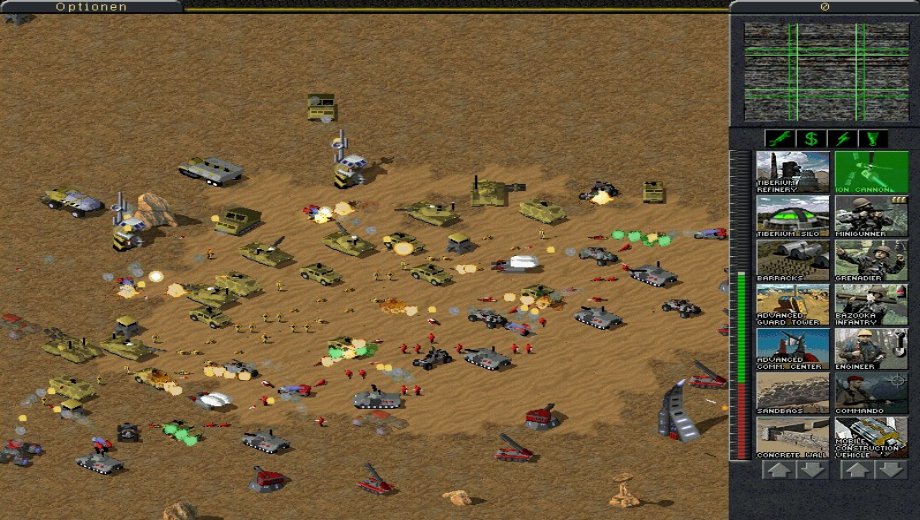
To celebrate Command and Conquer's 12th anniversary, EA released the first installment of the series, Command & Conquer: Tiberian Dawn for free.
Command & Conquer: Tiberian Dawn is the first game of the Tiberian series as well as of the Command & Conquer franchise in its entirety, telling the story of a three year struggle between two warring factions; the UN-backed Global Defense Initiative and the ancient quasi-religious terrorist organization known as the Brotherhood of Nod.
Windows XP Installation Instructions :
Preparing to Install
Insert either C&C disc into your CD drive
Open My Computer and explore the CD
Right click either the install.exe or setup.exe
select PROPERTIES
Select the COMPATIBILITY tab
Check the check box for “Run this program in compatibility mode forâ€
Select WINDOWS 95 from the drop down menu
Click APPLY then OK
Double click the .exe file you just modified to launch itInstalling the Game
When you’re prompted to update DirectX, uncheck the check box so you won’t install it. It is extremely important not to install this DirectX update
Follow the on-screen instructions to complete the installation
Note: Installing Westwood Chat is not required, it can be canceled if you desireInstalling the Patch
Visit ftp://ftp.westwood.com/pub/ccgold and download CCGOLDXPPATCH.ZIP
Unzip the files and copy thipx32.dll into the install directory of the game (default path is c:WESTWOODC&C95). You may overwrite the old version of the .dll filePreparing to Run the Game
Go to the install directory of the game (default path is c:WESTWOODC&C95)
Right click C&C95.exe
Select PROPERTIES
Select the COMPATIBILITY tab
Check the check box for “Run this program in compatibility mode forâ€
Select Windows 95 from the drop down menu
Check the check box for “Disable visual themesâ€
Check the check box for “Turn off advanced text services for the programâ€
click APPLY then OK




![Fishing Inc (+9 Trainer) [Mafioznik]](https://618b31e8.delivery.rocketcdn.me/wp-content/uploads/2026/10/Fishing-Inc-01-464x276.jpg)

![Granblue Fantasy: Relink v1.0-v2.0.x+ (+36 Trainer) [FLiNG]](https://618b31e8.delivery.rocketcdn.me/wp-content/uploads/2024/02/granblue-fantasy-relink-1-464x276.jpg)