Gothic 1 Remake Bystander XP Mod v1.3.0
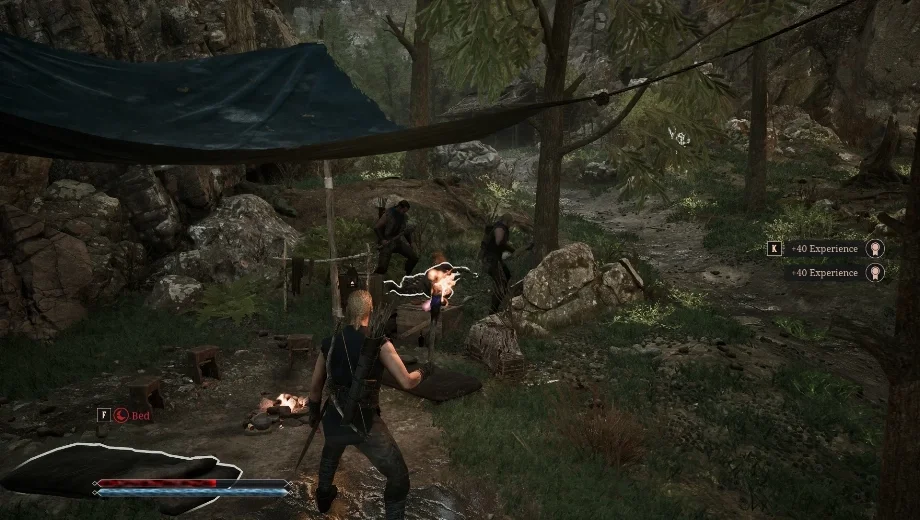
                    Gothic 1 Remake only awards kill experience to the player who lands the killing blow, which means enemies finished off by guards, ally NPCs, or other creatures leave you with nothing to show for witnessing the fight. The Bystander XP mod fills that gap by awarding you a configurable percentage of the kill experience whenever something dies nearby at the hands of an NPC and the game would otherwise give you nothing. Furthermore, the mod never stacks on top of experience you already received, so kills you land yourself or that your party members complete on your behalf are unaffected. Consequently, exploring alongside NPCs and observing the world’s fights actually contributes to your progression.
What’s Included
- Bystander XP awarded for any unrewarded death within 5000 units.
- Configurable percentage of the normal kill bounty, from 0% to 100%.
- Never awards XP twice for the same kill.
- Full mod toggle on or off at any time.
- Optional real-time settings via the Shared Mod Menu (F2). Without it, settings can be edited in
settings.ini.
Why You Need This Mod
This mod is useful if you spend time alongside NPC guards or in areas with active creature conflicts and want those moments to contribute to your progression. The configurable percentage lets you decide how much bystander credit feels fair, from a subtle trickle at 10% to claiming the full kill value at 100%. Additionally, the mod is safe to add or remove at any point in your playthrough.
How to Get Started
- Download both the BystanderXP and Shared Mod Menu archives and extract them to your PC.
- Install UE4SS experimental build 3.0.1-970 or newer for Gothic 1 Remake if you have not already.
- Copy both mod folders into your UE4SS Mods directory:
Gothic 1 Remake\G1R\Binaries\Win64\ue4ss\Mods\BystanderXP\
Gothic 1 Remake\G1R\Binaries\Win64\ue4ss\Mods\SharedModMenu\
- Launch the game. Bystander XP begins applying automatically.
- Press F2 to open the Shared Mod Menu and find the BystanderXP tab to adjust the percentage or toggle the mod on and off in real time.
- If you prefer not to use the Shared Mod Menu, open
settings.iniinside the mod folder, edit the percentage value, and restart the game. - To uninstall, delete the BystanderXP folder from the Mods directory.
Good to Know
- Requires UE4SS experimental build 3.0.1-970 or newer.
- Kills made by your own party members are already credited to you by the game natively. This mod only fills in the gap for kills the game would otherwise ignore entirely.
- On Linux, add
WINEDLLOVERRIDES="dwmapi=n,b" %command%to your Steam launch options.
- File name: G1R_BystanderXP_v1.3.0

- Secure Software (Virus checked, GDPR-compliant)
- Easy to use: get ready in less than 5 min
- More than 5300+ supported Games
- +1000 Patches every month & Support




![Hell Clock v1.0-v2.0+ (+18 Trainer) [FLiNG]](https://618b31e8.delivery.rocketcdn.me/wp-content/uploads/2025/08/Hell-Clock-1-464x276.jpg)