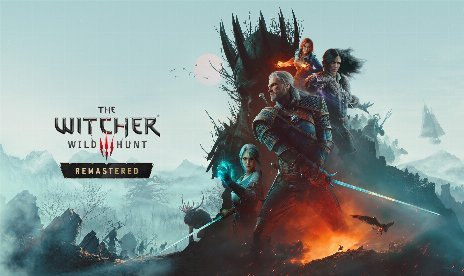
The Witcher 3: Wild Hunt Choice Impact Mod v1.2.1

October 19, 2026 - 8:45am
                    Most dialogue choices in The Witcher 3 change nothing, yet nothing tells you which ones. The Choice Impact mod adds a small colored label after every dialogue option that says what it leads to. The color shows how big the consequence is, and the text names the kind. So you can pick freely when nothing lasts and slow down when a fate hangs on it.
What You See in Dialogue
- ChoiceImpact: Packs the mods and bin folders into one archive, so you copy two folders into your game folder.
- Colored Labels: Puts a short label after each dialogue option, so the color shows the size of the consequence.
- Full Coverage: Annotates all 7,085 voiced choice lines across the base game, both expansions, and the free DLC quests.
- Real Consequences: Flags more than 1,320 lines with a real outcome, so you know where to slow down.
- Display Modes: Offers full descriptions or shorter spoiler-light hints that keep the color. You can still turn labels off entirely.
- Hide No-Impact Labels: Hides the gray and silver labels, so you only see the choices that matter.
- Dimmed Labels: Dims the label on choices you already picked or cannot pick, since the game dims those choices too.
- Translated Labels: Translates labels and the settings menu into Polish, Russian, Simplified Chinese, and Traditional Chinese.
Color Key
- Gray: No lasting impact, so pick freely.
- Silver: Flavor only, meaning a different reply that the game never remembers.
- Green: Minor effect, such as an NPC remembering or a later line changing.
- Gold: Reward, including gold, items, Gwent cards, bets, and haggling.
- Blue: Quest changes, such as a new branch, an NPC’s fate, or a quest failing or unlocking.
- Orange: Character fates, where an important NPC lives, dies, or leaves, including Kaer Morhen allies.
- Pink: Romance, covering Triss, Yennefer, Keira, Shani, Syanna, and others.
- Purple: World state, such as Radovid, Dijkstra, Emhyr, Skellige’s ruler, and Temeria.
- Red: Endings, covering Ciri’s ending plus the Hearts of Stone and Blood and Wine endings.
- Red, lethal: A fight to the death or a point of no return.
Why Bother With Labels?
Reloading saves just in case gets old fast. With a label on every option, you pick with confidence instead of guessing. Spoilers are the trade-off, since a full label can reveal an outcome.
Putting It in Your Game Folder
- Download the mod and extract the archive to your PC.
- Open the game folder that holds bin and content.
- Next, drag the mods and bin folders from the archive into that game folder. Choose Replace the files in the destination if Windows asks. The mod replaces none of the game’s own files.
- Check that mods\modChoiceImpact\content now exists. Then check that modChoiceImpact.xml sits in bin\config\r4game\user_config_matrix\pc.
- Avoid an extra folder in between, because that is the most common install mistake. The mods and bin folders must sit right next to the game’s own content folder.
- Start the game, then expect the first launch to run longer while the scripts compile.
- Finally, open Settings > Mods > Choice Impact from the main menu or the pause menu to adjust the labels.
- To update, install the new files over the old ones and overwrite everything, since your saves stay unaffected.
- To uninstall, delete mods\modChoiceImpact from the game folder. Then delete modChoiceImpact.xml from bin\config\r4game\user_config_matrix\pc.
Before You Start
- The mod targets the Remastered and Complete Edition on patch 5.0 or newer, on Steam, GOG, and Epic.
- Next-gen patch 4.04 works unofficially, so treat it as unsupported.
- On patch 4.04, first add modChoiceImpact.xml; to the end of both dx11filelist.txt and dx12filelist.txt in bin\config\r4game\user_config_matrix\pc, keeping the semicolon. Labels still show in English only there.
- Classic 1.32 and next-gen 4.00 to 4.03 show a script error at launch, so remove the mod there.
- The mod replaces no vanilla script, so Script Merger is unnecessary.
- However, mods that rewrite the dialogue screen can clash with the labels.
- Labels follow the game’s text language, so every language without a translation shows English labels.
- A few menus look identical but lead to different outcomes, so the mod shows a general category label or none.
- With many mod menus, a controller can struggle to scroll the Mods menu, so use a mouse for settings.
- This mod includes AI-generated content.
Download
File information
October 19, 2026 - 8:45am
- File name: TW3WH_ChoiceImpact_v1.2.1

PLITCH - Free & Premium Game Trainer
- Secure Software (Virus checked, GDPR-compliant)
- Easy to use: get ready in less than 5 min
- More than 5300+ supported Games
- +1000 Patches every month & Support

The Hardcore Gaming Experience
Pioneering in offering game trainers and other hardcore gamer-centric content.
LATEST UPDATES



![Enshrouded v1.0+ (+22 Trainer) [FLiNG]](https://618b31e8.delivery.rocketcdn.me/wp-content/uploads/2025/11/Enshrouded-02-464x276.jpg)

![CarX Street v1.15.0 (+5 Trainer) [xX_Morda_Xx]](https://618b31e8.delivery.rocketcdn.me/wp-content/uploads/2024/09/carx-street-1-464x276.jpg)





The Hardcore Gaming Experience
Pioneering in offering game trainers and other hardcore gamer-centric content.