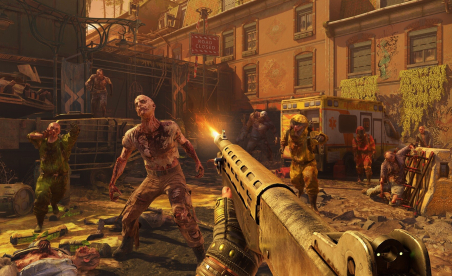
Step into the boots of John Mullins, and take down an insidious bio-terrorist organization the mercenary way.
Soldier of Fortune® 2: Double Helix is the ultra-realistic sequel to the ground-breaking hit from Raven Software. Based on the popular military-enthusiast magazine, Soldier of Fortune® 2 offers the most realistic covert-operative FPS experience ever. The test gives gamers a chance to compete in one map across four different game modes including deathmatch, team deathmatch, elimination and infiltration. Gamers who choose to participate in the test will also have access to 20 skins and all the weapons available in the multiplayer portion of the full game.
ADDITIONAL INFO:
This program is not supported by Activision® or Raven® and is offered for download as a courtesy only.
Players are encouraged to provide feedback to the team on gameplay and compatibility via email at sof2mptest@ravensoft.com.
Updated: 04/05/2002
Soldier of Fortune II: Double Helix® MP Test README.TXT
***This downloadable code is only a test of the technology for Soldier of Fortune II: Double Helix®. This is not a representation of the final version of the game, nor is this download an official demo of the Multiplayer aspect of the title. ***
Thank you for downloading Soldier of Fortune II: Double Helix MP Test for your PC. This Readme will provide you with everything you need to know to install the game and fully enjoy the Soldier of Fortune II: Double Helix Multiplayer experience.
MAIN MENU
The Main Menu presents you with several areas for customization listed along the top of the screen. You begin in the Options area in the Player Setup screen.
OPTIONS:
Player Setup:
This screen allows you to change your online name and appearance. Note: Certain characters cannot be used within the name field (examples: " or ). Although the characters may be represented in the menu or shell when entering a name, they will not appear as such when the player connects to the server.
Controls Setup:
This screen allows you to change the controls for your game play. Sub-Menus for this screen are Look, Move, Weapon, Misc, and Chat. The Defaults sub-menu will reset all of your previously bound keys to the default settings.
Display Setup:
This screen allows you to customize the Video settings of the game. From this screen, you can select Video Mode, Fullscreen, Geometric Detail, Texture Detail, etc.
Sound Setup:
This screen lets you change your sound settings.
Misc. Setup:
In this screen, you can select and alter several settings. For instance: Mouse sensitivity and functionality, monitor brightness, weapon auto-switch, crosshairs, Target Identity, HUD options, etc.
Scalability Options:
This screen allows you to select the Shadow Quality, detail of your Textures, and the quality of the FX.
Network Settings:
This screen allows you to set your connection speed, Maximum FPS rate, an the ability to turn on the Lagometer. The Lagometer will give you real-time feedback on your connection to any server. This screen also contains the SOCKS5 section to allow you to set up the Multiplayer Test behind a firewall.
At the bottom of the Main Menu there are three buttons. These Buttons are Join Server, Create Server, and Options. The Options Screen is the default tab selected at start up.
JOIN SERVER:
Selecting the Join Server button will allow you to join any existing Internet or LAN game currently running. On this screen are the following options:
Get New List - This will allow you to get the latest listing of active servers.
Refresh List - This will update all servers currently displayed in the server window.
Source - This allows you to select the listings for servers based on their location: Local, Internet or Favorites.
Type - This allows you to limit the server list to a specific type of hosted game.
Empty / Full - These options allow you to view servers that are Empty or Full of players.
Join Game - The box with the Arrow in the upper right corner of this screen is the Join Game button. Select this when you have highlighted a server you wish to join.
New Favorite - This will allow you to manually enter a server's IP address.
Add Favorite - When you press this button, the server currently highlighted in the list will be placed in your Favorites list.
Server Info - This button will bring up more detailed info on the server that is currently highlighted in the list.
Find Friend - You can search for your friends with this button. You will need to enter the name of the person you are looking for with exact spelling and upper/lower case letters.
CREATE SERVER:
This feature allows you to create a Multiplayer game. This screen defaults to the Maps section.
Maps - This page shows you a list of maps you can select for your server. In the MP Test, there is only one map available: The Shop Under Siege.
Type - You can select the game type that will play on your server. Your choices are Deathmatch, Team Deathmatch, Elimination, and Infiltration.
Options- This screen allows you to setup the specifics of your server. Here you can select options such as Time Limit, Score Limit, Host Name, Pure Server, Dedicated, Maximum Number of players, etc.
Start Server - When all settings are to your liking, you can begin the server by selecting the button in the upper right part of the screen. This will begin your server with all options and settings you have just entered.
KNOWN ISSUES:
=============
There are a few technical issues that we are aware of at present.
ATI Radeon 8500 Flashes - There is a known issue with the latest drivers where the video can appear to 'flash' during gameplay.
MONITORS:
=========
- Please make sure your monitor supports the game resolution you are trying to play in. To check what resolutions your monitor supports, do the following:
1. Open up My Computer.
2. Double-click on Control Panel.
3. Find the Display icon and open it.
4. Choose the Settings tab.
5. Locate the resolution slider bar in the Screen Area box and drag it to the far right.
The resolution choice shown is the maximum resolution your monitor is capable of displaying. If you do not want to change to this resolution now, select Cancel. Your Screen Area should be set to the game resolution you are trying to play in or higher.
NOTE: Please make sure your monitor type is properly specified to insure correct reporting of available video resolutions.
JOYSTICK SUPPORT:
..... ======
- There is no support for joystick devices of any type in Soldier of Fortune II: Double Helix®.
This program is not supported by Activision® or Raven® and is offered for download as a courtesy only.


Comments
Soldier of Fortune II Multiplayer Test Demo
I am aweful at this game, but I still love it!
Soldier of Fortune II Multiplayer Test Demo
This Game f**kING Rocks!!!!!
Soldier of Fortune II Multiplayer Test Demo
That is f**ked up!!! They block every f**king thing you say! I don't cuss that f**king much! DO I????
Soldier of Fortune II Multiplayer Test Demo
cool game i luv it but i suck at it but i still love it
Soldier of Fortune II Multiplayer Test Demo
you f**kin jews are gay!
Soldier of Fortune II Multiplayer Test Demo
I love the game but I suck aslo lol
Soldier of Fortune II Multiplayer Test Demo
i hope it is a cool game
Soldier of Fortune II Multiplayer Test Demo
hei allt cool í rimaskóla bléblé sjáumst (clan rimaskóla) við erum bestir.
Soldier of Fortune II Multiplayer Test Demo
contact me at helgi91@hotmail.com And Il kick your ass
Soldier of Fortune II Multiplayer Test Demo
The best first person shooter multiplayer game ever to be made. Sick graphics, awesome guns, such as the ak and the m4 not to forget the mp5. A
Soldier of Fortune II Multiplayer Test Demo
fajna gra
Soldier of Fortune II Multiplayer Test Demo
WERE DO WE DOWNLOAD THIS GAME!?!?!?!?CAUSE I JUST CANT FIND THE DOWNLOAD BUTTON!!!!!!!
Soldier of Fortune II Multiplayer Test Demo
f**k U JEWS! AND U NOOBS! f**k ALL OF U f**kS!
Soldier of Fortune II Multiplayer Test Demo
The down load button is on the top right where it shows the the picture.
Soldier of Fortune II Multiplayer Test Demo
-=kbk=- rulz!
Soldier of Fortune II Multiplayer Test Demo
had game since this summer, cant play anymore cause i dont have "validcdkey" dont know wat it means yet
Soldier of Fortune II Multiplayer Test Demo
I am having the Invalid CD Key error as well with the multiplayer demo. Anyone know waht that is? How to fix it?
Soldier of Fortune II Multiplayer Test Demo
i get an error message "invalid cdkey" on every server i try.i am using the demo and havent had any trouble in the past.help..derik
Soldier of Fortune II Multiplayer Test Demo
wtf is up wit dis invalid cdkey error? r they killing the demo so we have to buy the full version???
Soldier of Fortune II Multiplayer Test Demo
sgsdgsdgsdg
Soldier of Fortune II Multiplayer Test Demo
help its doesn't work any more.but in the past it dit oke
Soldier of Fortune II Multiplayer Test Demo
IF U WANT THE FULL VERSION OF SOF 2 FOR FREE, GOTO [url removed]
Soldier of Fortune II Multiplayer Test Demo
Where i can download sof? i can't see the button
Soldier of Fortune II Multiplayer Test Demo
this game rocks i have not meet someone yet that has played this game that has not liked it so for all the pleople out there play this damn game
Soldier of Fortune II Multiplayer Test Demo
if u having troulbe with cd key donwload the cd key for sof 2 on kazaa or what ever share program you use are just search for it on the netEx" Sof 2 Cd Key
Soldier of Fortune II Multiplayer Test Demo
does anyone now why the game is not working?? maybe i have to download again... stay good! this game is fantastic!!PORTUGAL RULEZZZZZZZZZ
Soldier of Fortune II Multiplayer Test Demo
It might mean that your trial time ran out....i dunno just thinkin
Soldier of Fortune II Multiplayer Test Demo
me gusta mucho el juego
Soldier of Fortune II Multiplayer Test Demo
cool game
Soldier of Fortune II Multiplayer Test Demo
LLALALALLALAAA I'm the best ALEEEEEEEE DA PIJSK TOCH
Soldier of Fortune II Multiplayer Test Demo
cool game i am tha best
Soldier of Fortune II Multiplayer Test Demo
This game is cool. As far as the server commands go its great. But i can never launch a server of my own, i always have to ask someone to make one for me and then ask for the rcon pass. Oh yeah and all of you who are sayin ur the best... Quit lien to urselves I am the best... Vist the #TS# server...
Soldier of Fortune II Multiplayer Test Demo
hey mijn naam staat er ook tussen
Soldier of Fortune II Multiplayer Test Demo
this is one of the best games i ever played,damn-it's good...
Soldier of Fortune II Multiplayer Test Demo
i want to play online but i can't i dont no why you see i put the source to internet and no lists comes up but it does 4 my mate on a diff pc plz help
Soldier of Fortune II Multiplayer Test Demo
ur lot our lucky lol i can't even get da server lists up at all nd i av da excact same setting as my mate were it does work :S
Soldier of Fortune II Multiplayer Test Demo
guns don tkill ppl i do!!!!!!!!!!
Soldier of Fortune II Multiplayer Test Demo
Witam.Chcem mieæ soldier of fortune 2 mp test demo
Soldier of Fortune II Multiplayer Test Demo
Hallo everybody.. Who plays soldier og fortune 2 demo? Adda me in MSN swedish!! SWEDISH add me! Toldo13_pimp@hotmail.com .. We have a clan !! ADD!!
Soldier of Fortune II Multiplayer Test Demo
Fun, Funky, cool, worth the time of downloading
Soldier of Fortune II Multiplayer Test Demo
i am in one of the best sniper clan;) my nick in sof2 are Murder *T-1* and i am norwegian one of the best sniper in norway:D this game are the best game i ever had play i am addicted on it:D i say to everybody try this games dudes it's awsome;)
Soldier of Fortune II Multiplayer Test Demo
het is gelukt toch?????
Soldier of Fortune II Multiplayer Test Demo
bla bla jveut le demo
Soldier of Fortune II Multiplayer Test Demo
Hi i want download SoF 2 Double Helix Test Demo
Soldier of Fortune II Multiplayer Test Demo
are there any cheats for sof2 mp test?
Soldier of Fortune II Multiplayer Test Demo
hi I am jurrien a hollander.
Soldier of Fortune II Multiplayer Test Demo
i know the 3rd and maplight cheats
Soldier of Fortune II Multiplayer Test Demo
sdfgkjhd;lrkfjga
Soldier of Fortune II Multiplayer Test Demo
hahaha
Soldier of Fortune II Multiplayer Test Demo
excelent game
Pages
Add new comment